What changes
The legacy Clarity Delay (1.1.0 and earlier) was licensed through Stacks.audio. Clarity Delay 1.2.0 and later are licensed by Raytown Productions directly. Moving over:
- ends Stacks errors such as OS2;
- gives you a perpetual license: once activated, Clarity Delay works offline and never needs to check in;
- brings downloads, updates and support into one place.
Your old Stacks key does not work in the new version, and you do not need it.
Move your license
1. Uninstall Stacks
Stacks is no longer needed, and it keeps a background helper running until you remove it.
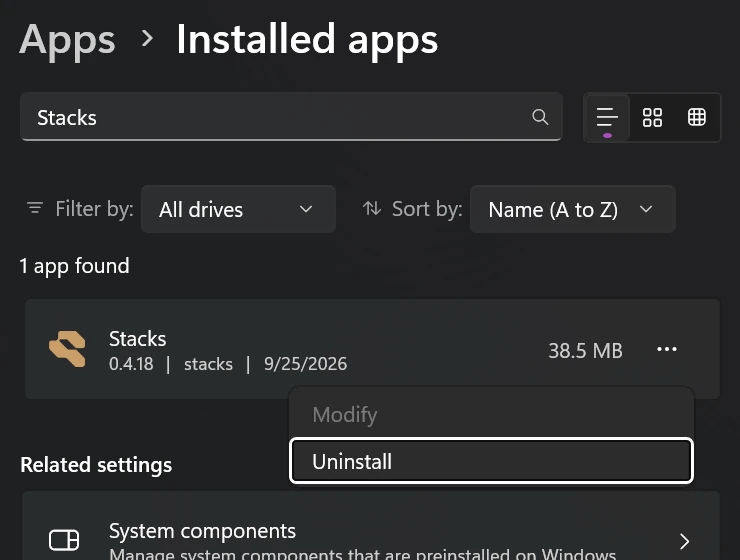
Windows: open Settings > Apps > Installed apps, search for Stacks, click ... next to it and choose Uninstall. If it asks whether to remove its app data, choose Yes: it holds nothing Clarity Delay needs.
Mac: Stacks has no uninstaller, so remove it in three steps.
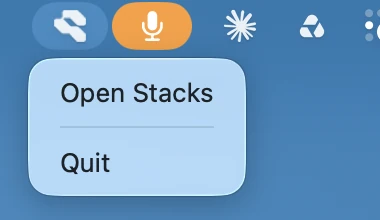
1. Quit Stacks. Click the Stacks icon in the menu bar (top right) and choose Quit. Closing its window alone leaves it running.
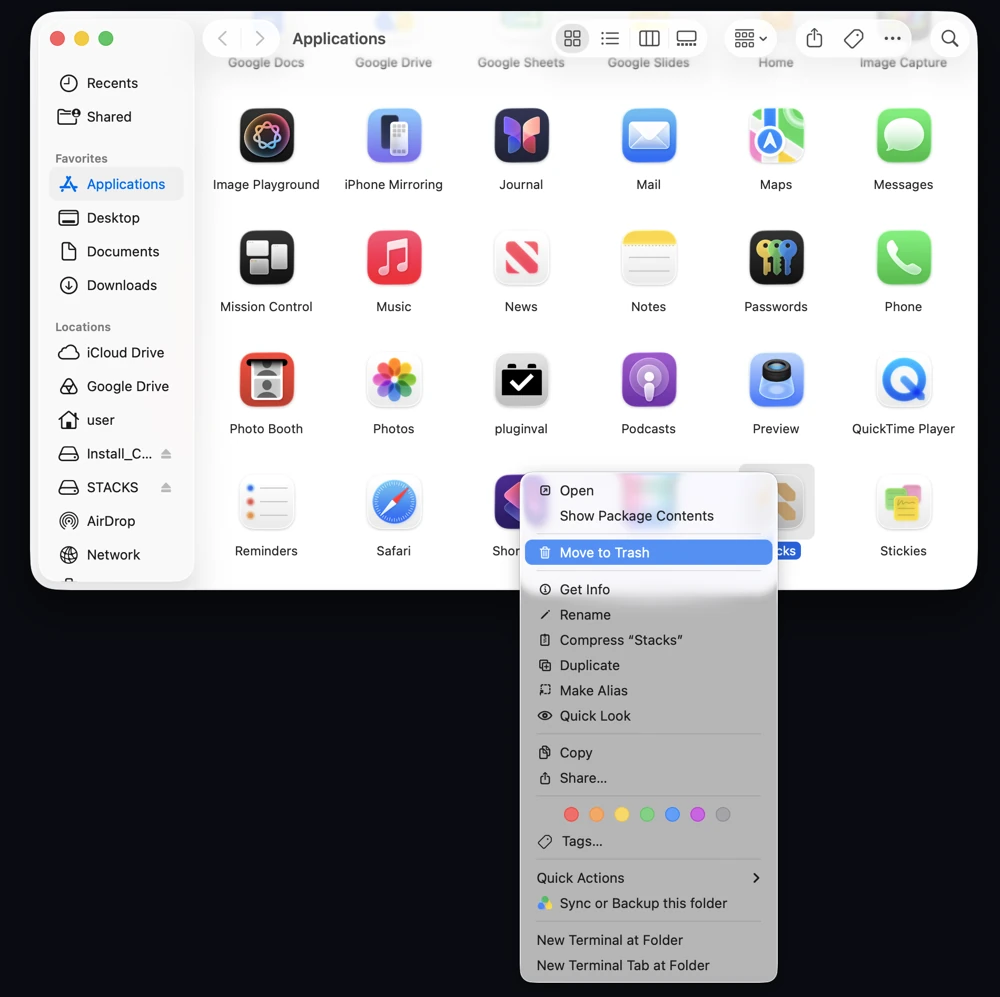
2. Move it to the Trash. In Finder, open Applications, right-click Stacks and choose Move to Trash, then empty the Trash.
3. Turn off its background helper, which keeps starting even after the app is gone: open System Settings > General > Login Items & Extensions and, under Allow in the Background, switch off Nightfox Audio, INC.
2. Install Clarity Delay
Find the email "Your Clarity Delay licence has moved" from licenses@raytownproductions.com. It has your new license key and a download link for the latest installer. Install Clarity Delay 1.2.0 or later from that link. It replaces the old version.
3. Activate
Open Clarity Delay, enter the key and the email address the message was sent to, and click Activate.
Only have the "moving to our new store" email?
That first email has a personal link to a free checkout ($0, no card). Complete it, and the license email from step 2 arrives within a minute.
Can't find either email?
Search your inbox and spam folder for licenses@raytownproductions.com. Still nothing, or bought under an address you no longer use? Email dsp@raytownproductions.com with your Stacks purchase email or receipt, and we will sort it out.
Your presets and projects are safe
Your saved presets stay where they are and appear in the new version automatically. Sessions saved with the legacy version open in the new one with the same settings.
Trials
Stacks trials were not carried over. Everyone gets a fresh 14-day trial on the new server; see How trials work.