What MODE does
MODE sits in HardStop Pro's MAIN CONTROLS panel on the Advanced view, with two settings. It starts on Classic.
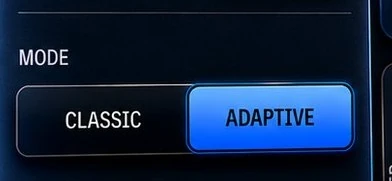
- Classic clips with one shape the whole time, set by the Shape knob. Out of the box that is a hard clip, exactly what HardStop Basic does.
- Adaptive listens for transients. When a hit lands, it clips with a hard corner to keep the punch. Between hits, on steady, sustained signals, it rests on a soft, rounded knee instead.
Adaptive never clips more than Classic at a comparable setting: Classic with Shape turned all the way to SOFT, the same soft knee Adaptive rests on. From there it can only firm up on the hits, never clip deeper.
Reactivity: what counts as a hit
In Adaptive, the Shape knob becomes REACTIVITY. It decides how readily Adaptive treats a sound as a hit, and how quickly it lets go:
- Toward ACTIVE (right) it catches more hits and recovers faster between quick ones. Good for double kick or a busy drum bus.
- Toward CALM (left) it waits for the big hits and holds them longer.
- BALANCED (center) is the tuned default.
Click the REACTIVITY label to choose Recover: Fast, Medium (the default) or Slow, which sets how quickly it lets go at BALANCED. Your Shape setting is kept for when you switch back to Classic.
Why that helps
A hard corner is what keeps a transient punchy, but it is also what makes sustained sounds harsh. Why clipping distorts on some sources and not others explains why: a sustained note gives the corner's harmonics time to be heard.
Classic makes you pick one shape for both. Adaptive gives the hard corner to the hits and a soft knee to everything in between. Drums stay punchy, and sustained bass and cymbals distort less.
Which one to use
| Source | Try | Why |
|---|---|---|
| Drums or drum bus | Adaptive | Hits keep their punch, and cymbals and room sound fizz less between them. |
| Bass and sustained sources | Adaptive | Sustained notes are where a hard corner sounds worst. |
| Full mix or master bus | Adaptive | One setting has to handle hits and sustains at once. |
| A deliberately hard, aggressive sound | Classic, Shape hard | The same hard corner on everything, on purpose. |
| A consistently softer sound | Classic, Shape softer | One gentle shape throughout, including on the hits. |
These are starting points, not rules. Trust your ears.
How to compare them fairly
- Turn Auto Gain on, so you are comparing sound, not level. See how to judge a clipper without fooling yourself.
- Set your drive in Classic first, the way you normally would.
- Switch MODE to Adaptive without touching anything else, and listen to two things: the hits, which should keep their punch, and the sustained parts between them, which should get cleaner.
- Check with LISTEN. Turn on CLIP in Delta listen. In Adaptive you should hear less on the sustained notes than you did in Classic.
If you can't hear a difference, the material may not have much sustain for Adaptive to ease off on. Either mode is fine there.