Where they sit
Out of the box, all three are neutral: Tone and Density at center, Mix at 100%. Until you move them, HardStop Pro sounds exactly like Basic.
- Tone shapes your sound before it is clipped.
- Density adds harmonic color as the signal is clipped.
- Mix blends your original, unclipped sound back in.
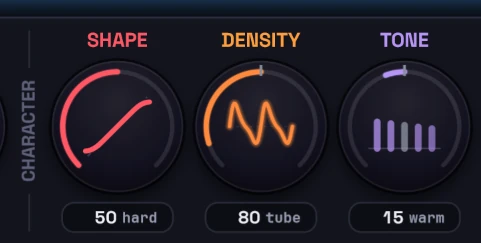
Tone: WARM to BRIGHT
A quick tonal tweak to offset what clipping does to the sound, and a fast way to remove mud or harshness on the fly.
- Toward BRIGHT lifts the top end and cuts mud in the low mids.
- Toward WARM softens the top end and cuts harshness and boxiness. Near full warm, a gentle high cut rolls in too.
- The bass stays where it is in both directions.
Because Tone acts before the clipping, warming a bright source takes some of the harshness out before it gets clipped. That makes it a quick first move when cymbals or vocals fizz, before you reach for less drive.
Density: TUBE to PUNCH
Density adds harmonic color inside the clipper, for glue or aggression. The ceiling stays exact either way.
- Toward TUBE adds odd and even harmonics: warmer, thicker, more glue.
- Toward PUNCH adds odd harmonics and subtle waveshaping: more bite and aggression.
Listen to the punch of your transients. As you turn Density up, the extra harmonics and density fill in around each hit, and the attack can slowly get swallowed. If the hits start to feel flattened, you've gone too far. Back it off until the punch comes back.
Density also makes things slightly louder at its extremes, by about 1 LU. When you compare settings, don't let that small lift fool you into thinking more is better. How to judge a clipper without fooling yourself covers why.
Mix: parallel clipping in one plugin
Mix blends your original, unclipped signal back in with the processed one. The two stay perfectly in time, so the blend never smears or phases.
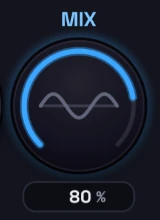
It's parallel clipping without setting up a send. Use it when the clipping is getting you the loudness you want but the hits have lost some life:
- Start at 100%, fully clipped.
- Bring Mix down slowly until the punch comes back.
- Stop as soon as it does. Every step down lets more of the unclipped signal through.
Below 100%, the output can go above your Ceiling, even with the TP safety limiter on, because the blend brings some of your original, unclipped peaks back. The lower the Mix, the further over it can go. If you need the Ceiling to hold, leave Mix at 100%, or put a limiter after HardStop.
Where to go next
- Why clipping distorts on some sources and not others: what Shape does, and which sources clip well.
- Classic vs Adaptive mode: letting HardStop choose the shape for hits and sustains.
- Delta listen: hearing exactly what each change is doing.