














Waves Voice Regen Review: Can AI Really Fix Bad Vocal Quality?

Quick summary
Waves Voice Regen is an AI voice re-synthesis processor designed to clean up audio and make it sound professionally recorded. While it excels at cleaning up spoken word and very clean singing, my tests reveal it struggles significantly with gritty, aggressive, or stylistically complex musical vocals, often introducing unwanted artifacts. It’s a powerful tool for content creators needing quick audio cleanup, but for home studio musicians dealing with expressive or aggressive singing, it’s not yet a replacement for good recording technique or traditional vocal processing.
What’s In This Article
- What is Waves Voice Regen and How Does it Work?
- Testing Waves Voice Regen: Real-World Performance for Musicians
- Clean Spoken Word Vocals
- Stylistically Clean Singing Vocals
- Gritty & Aggressive Vocals (Rock/Metal)
- General Audio Cleanup (Mouth Noises, Breaths)
- Expressive Vocals with Wide Range
- When to Use AI Vocal Tools (and When Not To)
Key moments in the video
- 0:00 — Waves AI Voice Regen – Worth it?
- 0:25 — WTF Is Voice Regen by Waves?
- 1:15 — Waves Privacy Concerns?
- 3:23 — Waves Regen Cleaning Up My Recorded Voice
- 5:20 — How does Waves Voice Regen Sound For Musical Vocals?
- 7:13 — Waves Regen vs. Gritty Female Vocal
- 8:54 — Waves Regen vs. Aggressive/Screaming Vocals
- 10:33 — Can Waves Regen Work for General Audio Cleanup?
- 11:41 — Waves Regen vs. Stylistic and Expressive Vocals
- 13:54 — Final Thoughts On Waves Regen for Home Studio Musicans
Enjoying the Video?
Get more home-studio tutorials, mixing breakdowns, and gear deep-dives every week.
For years, I’ve been cautious about the rise of AI in music production, wondering if we’d ever reach a point where software could truly “fix” a poorly recorded vocal. Well, that day is here, at least in concept.
Waves recently released Voice Regen, an AI-powered vocal cleanup tool that claims to re-synthesize your voice and make it sound professionally recorded. But the real question for us home studio owners and musicians is: can Waves Voice Regen actually transform bad vocal quality to pro-level for music?
After putting it through a rigorous “torture test” with everything from clean spoken word to gritty singing and even screaming, my conclusion is nuanced. While Voice Regen shows impressive capabilities for cleaning up spoken dialogue and very clean, stylistically straightforward vocals, it struggles significantly with the nuances, grit, and aggressive elements often found in musical performances, often introducing unwanted artifacts. It’s a fantastic tool for content creators, but for musicians relying on expressive or extreme vocals, it’s not yet a magic bullet.

What is Waves Voice Regen and How Does it Work?
Waves Voice Regen is an automatic vocal cleanup tool powered by AI re-synthesis. Unlike traditional noise reduction, which simply tries to remove unwanted sounds, Voice Regen aims to rebuild the voice from the ground up, making the audio sound as if it was recorded in a professional studio. Essentially, it’s an AI voice re-synthesis processor that takes your input and generates a ‘cleaner’ version.
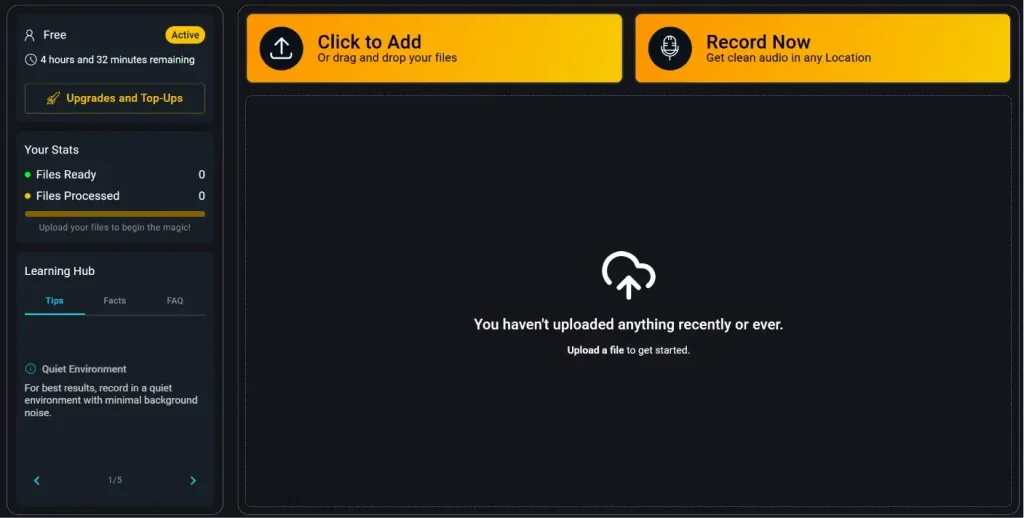
It’s important to note that Waves doesn’t explicitly market Voice Regen for fixing recorded singing in songs. Based on its design and training, it appears to be primarily intended for content creators—think podcasters, YouTubers, and anyone making videos where clear spoken dialogue is paramount. However, that doesn’t stop us from pushing its limits to see how it performs on musical vocals.
Privacy Concerns?
When dealing with AI tools that process our audio, privacy is a valid concern. I checked the Waves FAQ, and they state that uploaded content is stored for 14 days, then deleted. They do not claim ownership of the files, nor do they use them for training new models. This transparency is a big plus, especially compared to some other AI tools out there.
Testing Waves Voice Regen: Real-World Performance for Musicians
To truly understand Voice Regen’s capabilities for home studio musicians, I put it through a series of demanding tests. I ran various vocal types—from clean spoken word to aggressive screams—through the processor to see if it could genuinely make them sound professional and usable in a mix.
Clean Spoken Word Vocals
First, I tested Voice Regen on my own voice in a clean studio environment. The results were quite surprising. The regenerated audio was significantly more consistent, removing subtle background noises and making the overall sound much smoother. It still sounded like me, just… cleaner. For audiobook narration or general voiceovers, this could be an incredibly powerful tool.
Stylistically Clean Singing Vocals
Next, I moved to musical content, starting with a clean singing vocal—recorded on a phone, so the quality was far from ideal. This is where Voice Regen really impressed me for its intended (or at least, potential) musical application. It not only cleaned up the general audio but also fixed a distinct wind noise in the microphone. I heard very subtle artifacts, but honestly, in the context of a full mix, I don’t think they’d be noticeable. If you had no other option and truly loved a vocal performance that needed significant cleanup, Voice Regen could be a viable last resort for this type of vocal.
Gritty & Aggressive Vocals (Rock/Metal)
This is where Voice Regen hit a wall. I tested it on a gritty female vocal, which is notoriously difficult to tune or edit without losing its character. Voice Regen essentially “self-destructed” when confronted with the grit. My theory is that the AI had trouble detecting the format or finding the pitch within the aggressive vocal style, preventing the re-synthesis engine from reconstructing it correctly. The result was a chaotic mess of weird artifacts, completely destroying the original performance.
The same held true for high-pitched and deep screaming vocals. While it did a slightly better job than with the gritty female vocal, it completely stripped away all the feeling and aggression, making the screams sound like whispers. It’s clear that Voice Regen was not trained on, or is simply not equipped to handle, the extreme dynamics and tonal complexities of rock and metal vocals. If your music relies on these stylistic elements, this tool is not for you.
General Audio Cleanup (Mouth Noises, Breaths)
Beyond specific vocal styles, I tested Voice Regen for general cleanup, like removing mouth noises and breaths from a vocal take. In this regard, it performed admirably. It successfully identified these artifacts and rendered those sections almost completely silent. So, if you’re dealing with non-stylistic noises that you just need to eliminate, Voice Regen does a pretty good job.
Expressive Vocals with Wide Range
My final test involved a super expressive vocalist with tons of range, vibrato, and a mix of clean and gritty elements. This was likely the hardest challenge for Voice Regen. While it preserved some of the vocalist’s character, it adjusted the pitch in certain sections. And, predictably, when the vocalist hit extreme notes or introduced screams, the AI again struggled, suggesting those notes were beyond its trained range. It performed well on the cleaner, more melodic sections, but the moment stylistic aggression or extreme range came into play, artifacts became apparent.
When to Use AI Vocal Tools (and When Not To)
So, will Waves Voice Regen replace human engineers and good recording technique in a home studio? Based on my tests, not yet. Can you record on your phone and expect a platinum record? While catchy songwriting always trumps perfect quality, for high-fidelity music, especially with stylistic or gritty vocals, you’re likely to encounter artifacts with current AI tools like Voice Regen.
- Content Creators: If you’re a podcaster, YouTuber, or video creator needing quick, effective cleanup for spoken dialogue, Voice Regen is incredibly useful.
- General Noise Cleanup: For removing non-stylistic mouth noises, breaths, or consistent background hums, it does a good job.
- Last Resort for Clean Vocals: In a pinch, for very clean, straightforward singing with minimal stylistic variation, it might be a viable option if you have no other way to improve a vocal you absolutely love.
- Stylistic Singing: If your vocals rely on grit, aggression, unique tones, or extreme ranges (like rock, metal, or highly expressive genres), Voice Regen is not equipped to handle them without introducing detrimental artifacts.
- Expecting a ‘Pro’ Sound from Bad Recordings: While it cleans, it’s not a magic button that turns a poorly recorded, performance-flawed vocal into a studio-perfect take. Good recording technique, microphone choice, and room acoustics are still paramount.
- Replacing Human Expertise: AI tools are powerful, but they are not a substitute for the nuanced judgment and experience of a human mixing and mastering engineer.
I encourage you to try it yourself! Waves offers a free trial that allows you to upload about 5 minutes of audio for processing. See what it does for your music and let me know in the comments what worked for you and what didn’t. Your experience could help others in the home studio community!
What to do if you want to replace expressive, gritty, or singing vocals for your music?
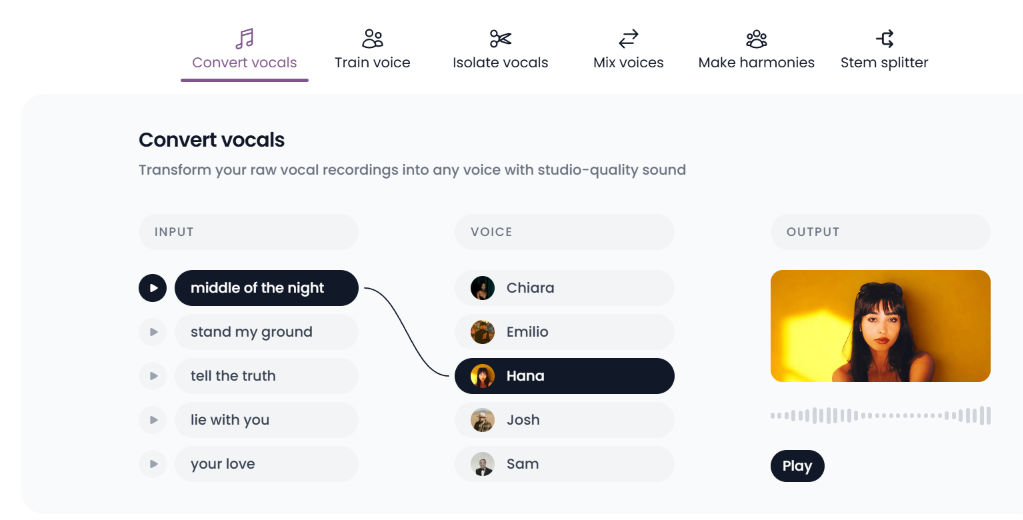
I would highly suggest checking out Audimee – their voice models replace your voice with professional singers giving you freedom to explore how your music might sound with additional voices.
Something else I love to use Audimee for is to generate additional vocal harmonies from the same vocal track and process it with Audimee to remove any phasing or artifacts – sounds like you hired actual backup singers for your track. If you find a voice model that sounds similar to your lead vocal, it can be very hard to tell that isn’t not your lead vocalist singing!
Key takeaways
- Waves Voice Regen is an AI voice re-synthesis processor, not just a noise reduction tool.
- It excels at cleaning up spoken word and very clean, stylistically simple singing, even fixing issues like wind noise.
- Voice Regen struggles significantly with gritty, aggressive, or highly expressive vocals, often introducing unwanted artifacts or stripping away character.
- For general audio cleanup (mouth noises, breaths), it performs very well.
- It’s a powerful tool for content creators (podcasters, YouTubers) but not yet a magic bullet for complex musical vocals.
- Waves addresses privacy concerns, stating uploaded files are deleted after 14 days and not used for AI training.
- If you need to replace singing vocals transparently, try Audimee instead! You can even train a model of your own voice!
Frequently asked questions
What is Waves Voice Regen?
Waves Voice Regen is an AI-powered vocal re-synthesis processor designed to automatically clean up audio and make it sound professionally recorded, primarily intended for spoken word content but also tested for music.
Can Waves Voice Regen fix bad singing in music?
For very clean, stylistically simple singing, Waves Voice Regen can impress by removing noise and increasing consistency. However, for gritty, aggressive, or highly expressive musical vocals, it struggles significantly, often introducing artifacts and stripping away stylistic elements.
It also does not perform any pitch correction or change tone/transform your voice into a professional singer.
Is Waves Voice Regen good for general audio cleanup?
Yes, Waves Voice Regen performs well for general audio cleanup, effectively removing non-stylistic artifacts like mouth noises and breaths from recordings.
Are there privacy concerns with uploading vocals to Waves Voice Regen?
According to Waves, uploaded content for Voice Regen is stored for 14 days and then deleted. They do not claim ownership of the files nor use them for training new AI models, addressing common privacy concerns.
Is Waves Voice Regen a replacement for good recording technique?
No, Waves Voice Regen is not a replacement for good recording technique, microphone choice, or proper room acoustics. While it can clean up some issues, starting with a well-recorded vocal is always the best approach for professional results.
Want to see the whole walkthrough? Watch the full video on YouTube.


![Get Better Mixes Faster [Part 2/3]: How to Write the Best Mix Notes for Online Mixing and Mastering](/blog/s/img/wp-content/uploads/2018/10/RP-Blog-Get-Better-Mixes-Faster-Part-2-Writing-Best-Mix-Revision-Notes-440x264.jpg)
![Get Better Mixes Faster [Part 1/3]: Effective Communication for Remote Mixing and Mastering](/blog/s/img/wp-content/uploads/2018/09/Communication-pt1-Copy-3-440x264.jpg)