






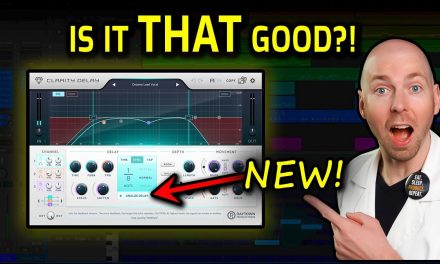



The Cleanest Delay Plugin Just Got Better: New Features for Wider, Cleaner Mixes

Quick summary
Clarity Delay 1.1 has arrived, packed with powerful new features designed to streamline your workflow and unlock even more creative possibilities. This update introduces gain linking for effortless gain staging, extended parameter ranges for deeper control, and two innovative mono-compatible wide delay modes that deliver a crazy sense of space without breaking your mix. Plus, we’ve optimized the reverb engine for even better CPU performance.
What’s In This Article
- What’s New in Clarity Delay 1.1: Unleashing More Power and Creativity
- Gain Linking for Effortless Gain Staging
- Expanded Parameter Ranges & Deeper Control
- Introducing Mono-Compatible Wide Delay Modes
- Optimized Performance for Your CPU
- Enhance Your Mixes: Practical Demos of Clarity Delay 1.1 in Action
- Vocal Delays: From Smooth to Super Wide
- Epic Guitar Solos with Clarity Delay
- Layering Delays for Complex Textures
- Seamless Workflow: Updating Clarity Delay and Maximizing Your Studio Time
- How to Update Clarity Delay 1.1 in Seconds
Key moments in the video
- 0:00 — Clarity Delay 1.1 New Features Overview
- 1:26 — How to Update Clarity Delay with Stacks
- 2:04 — Gain Link Feature Demo
- 2:40 — Extended Parameter Range (e.g., +/- 36dB)
- 4:10 — New Mono-Compatible Wide Delay Modes (Wide 1 & 2)
- 5:04 — Vocal Demo: Analog Delay vs. Wide 1 vs. Wide 2
- 6:11 — Vocal Demo: Wide 2 with Ducking, THD, and Gain Link
- 6:55 — Epic Guitar Solo Delay Demo
- 7:57 — Layering Delays (Slapback + Main Delay)
- 8:50 — Clarity Delay Sale & Money-Back Guarantee
Enjoying the Video?
Get more home-studio tutorials, mixing breakdowns, and gear deep-dives every week.
The wait is over! Clarity Delay 1.1 has just been released, bringing a host of exciting new features designed to elevate your mixes. This update addresses common workflow challenges, enhances creative possibilities, and further optimizes performance, making it an indispensable tool for any home studio owner. You might be asking, “What’s new, and how do I get it?”In this guide, I’ll walk you through the latest enhancements, including a powerful gain linking feature, expanded parameter ranges, and two innovative mono-compatible wide delay modes. Best of all, updating to Clarity Delay 1.1 is incredibly simple: just open your Stacks app, navigate to ‘My Stack,’ click the ‘Update’ button next to Clarity Delay, and you’re good to go. Let’s dive into how these new features can transform your tracks.
What’s New in Clarity Delay 1.1: Unleashing More Power and Creativity
Clarity Delay 1.1 isn’t just a minor tweak; it’s a significant upgrade packed with features designed to solve common mixing frustrations and inspire new creative textures. We’ve listened to your feedback and focused on making the plugin even more intuitive and powerful, ensuring it remains an all-in-one solution for adding space, depth, and glue without the mud or hassle [1].
Gain Linking for Effortless Gain Staging
One of the most requested features was a solution for gain staging, especially when using Clarity Delay as a send effect. The new Gain Link feature solves this problem elegantly. When activated, linking the input and output gain knobs allows you to drive the plugin harder or softer while maintaining a consistent overall level. You can push the front end for more saturation and character, or bring up a quiet signal to effectively utilize the ducking and gating features.
Unlike many plugins, our gain link isn’t a simple inverse flip. It intelligently maintains any existing offset between your input and output settings, ensuring that your sessions recall perfectly and your established mix balances are preserved. This workflow-focused design means less fiddling and more time making music.
Expanded Parameter Ranges & Deeper Control
We’ve extended the range of many parameters, giving you even more flexibility. For instance, the ducking and gating adjustments are now more aggressive, allowing you to dig deeper into your signal and create more pronounced movement. The gain knobs now go to an insane +/- 36 dB, opening up possibilities for extreme textures, especially when pushed into the plugin’s built-in AI-Powered Tape Saturation via the THD knob [1].
Introducing Mono-Compatible Wide Delay Modes
One of the most exciting additions is the introduction of two new mono-compatible delay modes: Wide 1 and Wide 2. These modes allow you to create an incredible sense of space and width without the fear of your mix falling apart if it collapses to mono. This is a game-changer for ensuring your tracks sound great on any playback system.
The original ‘Wide’ mode has been renamed Wide 3. While it still offers crazy, psychedelic ear candy, it’s important to remember that Wide 3 is *not* mono-compatible. Use Wide 1 for a subtle widening effect that gels with a focused mix, and Wide 2 for truly expansive, super-wide sounds that retain their integrity.
Confused about which wide mode to use? Just click the gear icon in the plugin and select ‘User Manual.’ All the details are there!
Optimized Performance for Your CPU
We’ve further optimized the reverb engine, making Clarity Delay 1.1 even less CPU-hungry. This means you can stack more instances of the plugin across your session without bogging down your system, allowing for a smoother, more efficient mixing experience. It’s about as CPU-efficient as you’ll ever get for a powerful delay and reverb plugin.
Enhance Your Mixes: Practical Demos of Clarity Delay 1.1 in Action
I’ve found Clarity Delay 1.1 to be so powerful that it’s replaced almost all my other delay plugins – from Lexicon to H-Delay to various ping-pong and micro-shift setups. It truly is an all-in-one solution that keeps performances up front and cleans up mud without sidechaining or EQ hassles.
Vocal Delays: From Smooth to Super Wide
Let’s start with a classic analog delay on vocals. It’s smooth and nice, but a bit centered and, frankly, a little boring. This is where the new wide modes shine.
- Wide 1: This mode adds subtle ear candy and makes the vocal feel bigger than a standard analog delay. It’s perfect when you want a touch of width that still gels with a more focused mix.
- Wide 2: For those really wide, lush vocals – especially killer on a chorus – Wide 2 delivers. Combine it with the deeper ducking feature, and you get an awesome, moving effect that keeps the lead vocal clear.
- Analog Vibe: Don’t forget the THD knob! You can add analog warmth and saturation modeled after a Sony reel-to-reel tape machine [1]. Drive it harder with the new gain link for even more texture and character.
Epic Guitar Solos with Clarity Delay
I haven’t found anything that comes close to Clarity Delay 1.1 for guitar solos. It sounds absolutely epic. My typical setup involves:
- Setting a faster delay time.
- Using the Automatic Clarity Enhancement‘s Focus algorithm to clean up mud.
- Applying the Soften algorithm to take away any harshness.
- Adding a touch of space.
- Ducking the delay so the guitar solo remains upfront and clear, not buried by the effect.
The momentum and clarity you can achieve on a guitar solo with Clarity Delay are simply unmatched. It helps the instrument cut through the mix while still sitting beautifully in its own space.
Layering Delays for Complex Textures
Clarity Delay’s architecture, with its triple delay channels, makes layering effects incredibly easy. You can combine different delay types for rich, complex textures. For example, you might add a rhythmic slapback delay (e.g., 30th note, dotted, or triplet) to give the instrument more weight, then layer it with another longer, wider delay. You can dial in some analog vibe with the THD knob and then use the global wet control to perfectly blend the combined delays into your mix. This flexibility ensures you’re always designing for speed and creativity.
Seamless Workflow: Updating Clarity Delay and Maximizing Your Studio Time
Everything in my plugins is workflow-focused, and Clarity Delay 1.1 is no exception. We want to make your experience as smooth as possible so you can maximize the fun you’re having while making music. This includes the update process itself.
How to Update Clarity Delay 1.1 in Seconds
Updating Clarity Delay is incredibly fast and simple thanks to the Stacks app. No emails, no codes, no installers – just one click:
- Load your Stacks app.
- Go to ‘My Stack.’ You’ll likely see a little badge indicating an update is available for Clarity Delay.
- Click the ‘Update’ button next to Clarity Delay (if it’s red, it means it’s outdated).
- The app automatically installs the latest version, and you’re back on track.
This is a non-breaking update, which means all your existing sessions will recall perfectly. You don’t have to worry about your mixes suddenly sounding different or plugin settings being reset – everything will continue to work exactly as you expect.
If you’ve been considering Clarity Delay, now’s a great time to grab it! There’s a limited-time sale happening, and it comes with a 30-day money-back guarantee. If you don’t love it, just send an email within 30 days of purchase for a full refund, no questions asked.
Key takeaways
- Clarity Delay 1.1 introduces intelligent gain linking, simplifying gain staging and enabling more creative drive.
- Two new mono-compatible wide delay modes (Wide 1 & 2) provide expansive stereo imaging without mono compatibility issues.
- Extended parameter ranges offer deeper control over ducking, gating, and overall plugin behavior.
- The reverb engine is further optimized for even lower CPU usage, allowing more instances per session.
- Updating is a one-click process via the Stacks app, ensuring a seamless and non-breaking transition for existing projects.
Frequently asked questions
What are the main new features in Clarity Delay 1.1?
Clarity Delay 1.1 introduces a new gain linking feature for easier gain staging, extended parameter ranges (like +/- 36dB for gain and more aggressive ducking), two new mono-compatible wide delay modes (Wide 1 and Wide 2), and further CPU optimization for the reverb engine.
How do I update Clarity Delay to version 1.1?
Updating is simple with the Stacks app. Open Stacks, go to ‘My Stack,’ find Clarity Delay, and click the ‘Update’ button. It will automatically install the latest version.
What is the gain linking feature in Clarity Delay 1.1?
The gain linking feature allows you to adjust the input gain to drive the plugin harder or softer, while the output gain automatically compensates to maintain a consistent overall level. This helps with gain staging, especially for quiet signals or when using the plugin as a send effect.
Are the new wide delay modes mono-compatible?
Yes, the two new wide delay modes, Wide 1 and Wide 2, are fully mono-compatible. This means they create a sense of expansive space without breaking your mix if it collapses to mono. The original ‘Wide’ mode (now Wide 3) is not mono-compatible.
Does updating to Clarity Delay 1.1 break old sessions?
No, Clarity Delay 1.1 is a non-breaking update. All your existing sessions will recall perfectly, and your plugin settings will remain as you left them.
Want to see the whole walkthrough? Watch the full video on YouTube.