


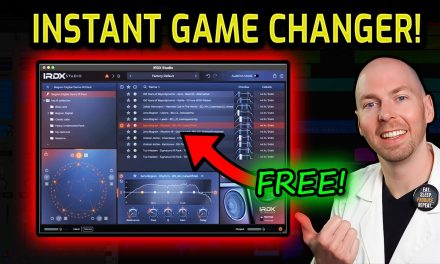

IRDX Studio Review: BEST Free Guitar IR Loader Plugin for Guitars
Quick summary
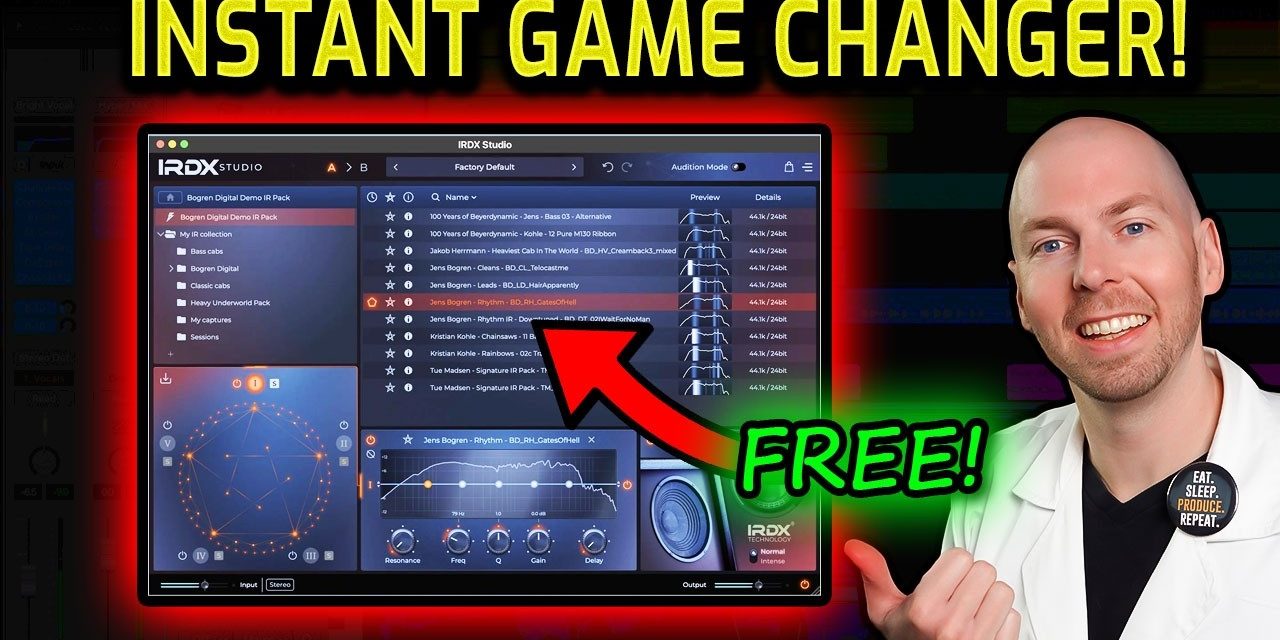
Bogren Digital IRDX Studio is a comprehensive, FREE impulse response (IR) loader and mixer designed to simplify guitar mixing and add realistic speaker dynamics to your amp sims (unlocked with the paid version). It tackles the common problem of static IRs by offering advanced blending, an intuitive workflow, IR export for hardware devices (Kemper, Headrush, etc.) and optional IRDX technology for lifelike speaker compression and saturation. This plugin helps home studio owners, bedroom producers, and musicians achieve more dynamic and professional guitar tones easily.
What’s In This Article
Get a DISCOUNT!
Grab a discount on any non-sale Bogren Digital Products (shout out to Bogren Digital for being awesome to my followers!)
Use code “RAYTOWN” at checkout 🤘
Key moments in the video
Enjoying the Video?
Get more home-studio tutorials, mixing breakdowns, and gear deep-dives every week.
If you’re anything like me, dealing with impulse responses (IRs) and integrating them effectively into your rock and metal mixing sessions can be a real headache. They often feel static, lacking the dynamic response of a real speaker cabinet. But what if I told you that problem has been solved, and for free? Bogren Digital has released IRDX Studio, one of the most comprehensive and intuitive IR loaders I’ve ever encountered. This free plugin is designed to make guitar mixing significantly easier by providing a powerful platform to load, blend, and sculpt your guitar tones. It offers a suite of features that go beyond a typical IR loader, helping you achieve more realistic and dynamic amp sim sounds without spending a dime. Simply said, IRDX Studio is a powerful tool to elevate your guitar tracks.
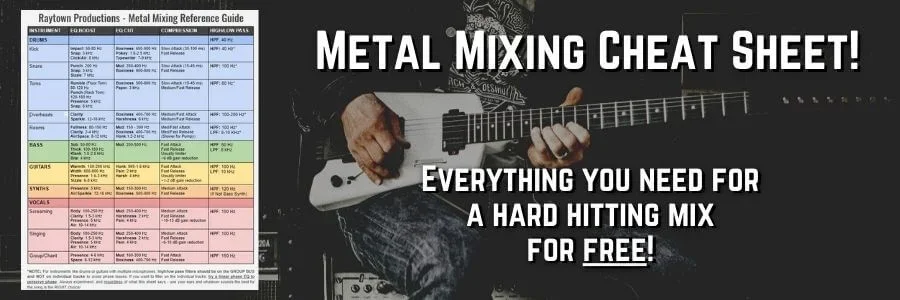
GET YOUR FREE ROCK & METAL MIXING CHEAT SHEET!
Bogren Digital IRDX Studio: Your Free Solution for Realistic Guitar Tones
Bogren Digital IRDX Studio is more than just a simple IR loader; it’s a comprehensive workstation for crafting your perfect guitar tone. And the best part? The core functionality is absolutely free. Right out of the gate, you’ll notice its clean, intuitive interface, designed to make your workflow smooth and efficient.
Core Features that Simplify Your Workflow
- Five IR Loader: Load up to five impulse responses simultaneously, giving you incredible flexibility for blending.
- A/B Slots: Quickly compare different tonal setups to find the best fit for your mix.
- Preset Menu: Save and recall your favorite custom tones with ease.
- Undo/Redo: Experiment freely knowing you can always revert changes.
- Audition Mode: A super helpful feature for quickly scrolling through IRs and hearing their raw sound without other processing (more on this in the workflow section).
- Smart IR Management: Set your impulse response folder, and IRDX Studio will automatically pull in your IRs, clearing out duplicates to keep things clutter-free.
- Free IRs Included: Bogren Digital even provides a selection of free impulse responses to get you started.
Visualizing Your Tone with the Heat Map
One of the standout visual features is the frequency response heat map. This graphical representation shows you exactly where the majority of an IR’s frequency content lies. Brighter bands indicate higher density in that frequency area.
- For downtuned guitars, look for bright white bands in the bass region.
- If you want a bright, sizzling tone, target brighter areas in the higher frequencies.
- This visual feedback allows you to quickly assess an IR’s character before even listening, saving you valuable time in your tone-finding process.
The Infinite Possibilities of the IR Mixer
The IR mixer is where the true power of IRDX Studio shines. It allows you to blend up to five IRs simultaneously in a unique, intuitive way. Simply drag and drop your chosen IRs into the mixer, and a connection forms between them. You can then move a central point to continuously blend between two, three, four, or even five impulse responses, creating virtually unlimited guitar tones.
If you want to temporarily deactivate an IR, simply click its power button. This level of blending control is usually found in much more expensive, dedicated IR mixing plugins, making its inclusion in a free tool truly remarkable.
Streamlining Your Guitar Mixing Workflow with IRDX Studio
Beyond its powerful features, IRDX Studio is designed for a seamless mixing workflow, helping you dial in your guitar tones efficiently. Let’s walk through some practical steps.
Audition Mode: Find Your IR Fast
When starting a new session, you’ll want to quickly audition different IRs. This is where Audition Mode comes in handy. Activate it, and you can use your keyboard to scroll through your IR library. This mode bypasses any active mixing or EQ, giving you a pure ‘fingerprint’ of what each individual IR sounds like.
Once you find an IR that sounds promising, you can un-solo your guitars to hear it in the context of your full mix. If you love it, simply favorite it with the star button for quick recall later. This significantly speeds up the often tedious process of sifting through hundreds of IRs.
Integrated Musical EQ and Volume Control
IRDX Studio features a highly musical EQ directly within the plugin. This means you can make precise tonal adjustments—like adding sizzle or taking out warmth—without needing to load additional EQ plugins. There’s also a convenient volume adjustment to fine-tune the output level of your impulse response.
Exporting Custom IRs for Your Hardware
Another incredibly powerful feature, especially for those with hybrid setups, is the ability to export your custom-blended IRs as new IR files. This means you can create a unique blend within IRDX Studio, then export it for use with your outboard gear or devices like a HeadRush, Tone Master, or Kemper. The plugin will chop up the IRs into the correct format, making it easy to load your custom tones onto your pedalboard or amp modeler.
Unlocking Speaker Dynamics: The IRDX Technology Explained
While the core IR loading and mixing features of IRDX Studio are free, Bogren Digital also offers an advanced, paid feature: the IRDX Technology. This isn’t just another EQ curve; it’s a sophisticated speaker emulation designed to add realism that traditional static IRs often lack.
The IRDX Technology feature is locked in the free version of IRDX Studio. It’s available as an upgrade to the full paid version.
What IRDX Technology Does
IRDX Technology simulates the subtle yet crucial characteristics of a real speaker being driven hard. This includes:
- Speaker Compression: The natural compression that occurs as a speaker cone moves, adding density and punch.
- Saturation Artifacts: The subtle harmonic richness and grit that develops when a speaker is pushed.
- Air Movement and Non-Linear Response: Recreating the dynamic, reactive feel that makes a real amplifier sound ‘alive’.
In essence, it makes your IRs sound more 3D and lifelike. When I use it in my mixes, I find it adds a ‘lunging’ kind of feel, a little bit more excitement and intensity. It imparts a subtle texture that lifts and elevates the guitar out of the mix, making it feel like the speaker is truly ‘about to explode’ with energy.
While the free version is incredibly powerful on its own, the IRDX Technology is a fantastic upgrade for those looking to push the realism of their amp sim tones even further.
Key takeaways
- Bogren Digital IRDX Studio is a free, powerful, and intuitive IR loader and mixer.
- It offers advanced features like a 5-IR mixer, visual heat map, and smart IR management.
- The plugin streamlines your workflow with Audition Mode and an integrated EQ.
- You can export custom-blended IRs for use with hardware devices.
- The optional IRDX Technology adds realistic speaker dynamics and compression for a more lifelike tone.
- It’s a game-changer for home studio owners looking for easy, realistic guitar tones.
Frequently asked questions
What is Bogren Digital IRDX Studio?
Bogren Digital IRDX Studio is a comprehensive, free impulse response (IR) loader and mixer. It allows you to load, blend, and sculpt guitar tones with advanced features like a heat map, multi-IR blending, and an intuitive workflow. It aims to make guitar mixing easier and more realistic.
Is Bogren Digital IRDX Studio truly free?
Yes, the core IR loading, mixing, and workflow features of IRDX Studio are completely free. There is an optional paid upgrade that unlocks the advanced IRDX Technology for enhanced speaker emulation, but the essential functionalities are available without cost.
How does IRDX Studio improve amp sim realism?
IRDX Studio improves realism through its comprehensive IR blending capabilities, allowing you to create complex and nuanced tones. The optional paid IRDX Technology further enhances realism by simulating speaker compression, saturation artifacts, and dynamic air movement, making static IRs sound more 3D and lifelike.
Can I use IRDX Studio to create custom IRs for my hardware?
Yes! One of the coolest features is the ability to export your custom-blended IRs as new IR files. This means you can craft your perfect tone within the plugin and then load it onto hardware devices like your HeadRush, Tone Master, or Kemper, extending your tonal options beyond your DAW.
What is the Audition Mode for?
Audition Mode is a workflow-enhancing feature that allows you to quickly scroll through your impulse response library using your keyboard. It bypasses any active mixing or EQ, providing a raw ‘fingerprint’ of each IR’s sound, helping you find the right starting point for your tone much faster.

Grab All My Favorite FREE Plugins!
Want to see the whole walkthrough? Watch the full video on YouTube.