













The Hidden Reverb Problem No One Talks About (And How to Fix It)
Quick summary
Reverb is a staple in nearly every mix, but it can introduce a hidden problem: dissonance and muddiness from overlapping tails. This often-overlooked issue can reduce headroom and make your tracks sound unclear, even with careful mixing. Inspired by an insightful tutorial from Sage Audio, this guide breaks down why this happens and provides practical, advanced solutions for home studio owners to achieve cleaner, more professional-sounding mixes.
Original YouTube tutorial by Sage Audio.
What’s In This Article
- The Hidden Problem: Why Reverb Can Cause Dissonance & Muddiness
- The Core Issue: Overlapping Reverb Tails
- The Primary Solution: Advanced Reverb Gating
- Traditional Gating vs. The ‘Hard Gate’
- Other Effective Solutions for Reverb Clarity
- Ducking Reverb for Increased Clarity
- Using EQ to Address Tonal Conflicts
- Considering Algorithm, Decay, and Room Size
- Combining Techniques for Ultimate Reverb Control
Key moments in the video
- 0:36 — The Problem with Reverb & Delay Dissonance
- 0:59 — Understanding Overlapping Reverb Tails
- 3:11 — Extreme Example of Dissonance
- 3:38 — Fixing Reverb’s Dissonance Issue: Gating
- 4:26 — The Unique ‘Hard Gate’ Function in Clarity Delay
- 5:22 — Demonstration of Hard Gate Effect
- 6:05 — Other Options: Ducking Reverb
- 6:42 — Other Options: Equalization (EQ)
- 7:29 — Combining Hard Gate, Ducking, and Focus (Dynamic EQ)
- 8:10 — Sage Audio Mastering Service
Reverb is one of those effects that’s almost universally present in a mix, whether you’re working with vocals, drums, guitars, or synths. It’s essential for placing sounds in a realistic or creative space. However, despite its popularity and importance, there’s a significant problem with reverb that often goes unaddressed: overlapping reverb tails causing dissonance, muddiness, and reduced headroom. This issue can make your mixes sound cluttered and unclear, even when you’ve meticulously crafted every other element. Fortunately, there are effective ways to tackle it. In this article, inspired by an insightful tutorial from Sage Audio on their YouTube channel, we’re going to dive deep into this problem and explore practical solutions for home studio owners and bedroom producers. The primary way to fix reverb dissonance and muddiness is by intelligently managing the overlap of reverb tails, often through advanced gating techniques, ducking, and precise equalization. This guide will walk you through understanding the problem and implementing these fixes to achieve a cleaner, more professional sound in your tracks.

The Hidden Problem: Why Reverb Can Cause Dissonance & Muddiness
You’ve probably spent hours perfecting your mixes, only to find that despite your best efforts, certain tracks still sound muddy or lack clarity. The culprit might be your reverb. As Sage Audio explains in their tutorial, reverb can cause unpleasant dissonance, needlessly reduce headroom, and create a muddy sound, even when you’ve taken every precaution. The core issue lies in how reverb tails interact, especially in complex musical arrangements.
The Core Issue: Overlapping Reverb Tails
Imagine you have a lead vocal with reverb set to a 2-second decay time. If the vocalist sings note ‘A’ and then, one second later, sings note ‘B,’ the reverb tail of ‘A’ will still be ringing out as the reverberation of ‘B’ begins. This overlap, while potentially subtle on a single isolated track, becomes a significant problem when you introduce other instruments.
This issue escalates dramatically with chords and complex arrangements. If a guitar or piano plays a four-note chord, and then a different three-note chord follows shortly after, the reflections from the first chord will clash with the reflections of the second. Depending on the musical context, this interaction can easily lead to dissonance and a general lack of clarity. The more complex your input and the longer your reverb’s decay time, the more prevalent this problem becomes.
While a 10-second reverb decay might seem extreme for a single instrument, imagine multiple tracks and instrument groups, each with their own reverbs, all overlapping. Small levels of dissonance can quickly add up, especially with melodic instruments, creating a cluttered and unprofessional sound.
The Primary Solution: Advanced Reverb Gating
The most direct way to prevent dissonance from overlapping reverb tails is to gate the reverb. However, this is trickier than it sounds with traditional methods.
Traditional Gating vs. The ‘Hard Gate’
If you simply place a traditional gate *after* your reverb, you can attenuate the tail before the next chord or note. This works for avoiding dissonance between reverberations. The problem arises when there’s a section of the performance where you *want* the reverb to ring out naturally without being cut short. To achieve this, you’d have to manually automate the gate, turning it on when overlap is an issue and off when you want the tail to sustain. This is cumbersome and time-consuming.
Furthermore, if your delay or reverb plugin uses internal feedback (where the output is fed back into the input to create longer tails), you can’t insert a traditional gate *between* the feedback function and the temporal effect itself. This limitation prevents you from effectively controlling the feedback loop’s contribution to overlap.
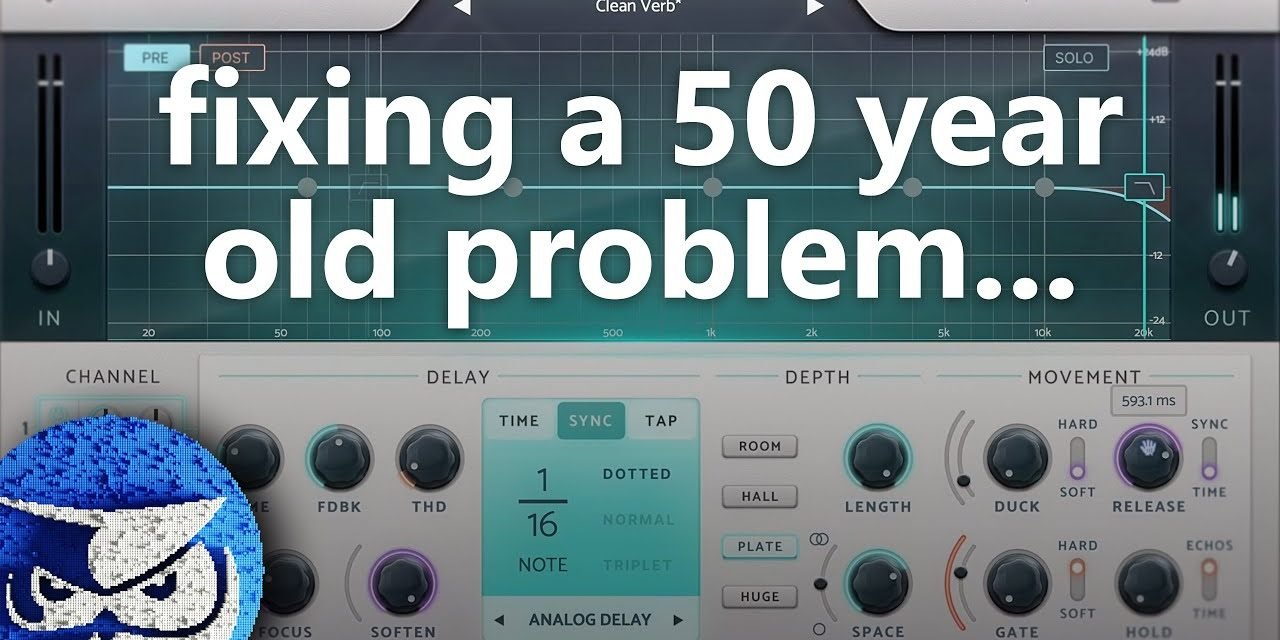
This is where a specialized solution like the ‘hard gate’ function, as demonstrated in the Clarity Delay plugin (which Sage Audio used in their video), comes into play. What makes this unique is its routing: the hard gate is positioned *between the feedback and the reverb/delay effect* within the plugin itself. This means it can attenuate the reverb tail or delay tap that has been fed back into the processor before it creates more overlap.
- It gates the reverb tail, but specifically targets the signal being fed back into the processor.
- This greatly reduces the overlap between previous tails/taps and incoming new ones.
- Crucially, the *last* reverb tail or chord of a performance can still ring out naturally because it doesn’t have additional signal to trigger the processor’s feedback loop, thus avoiding attenuation.
- This clever internal routing allows you to use high levels of feedback and long reverb times without causing dissonance.
Other Effective Solutions for Reverb Clarity
While an internal hard gate is a powerful solution, other techniques can also significantly improve reverb clarity and reduce muddiness. These methods can be used independently or in tandem with advanced gating for even better results.
Ducking Reverb for Increased Clarity
Ducking, often achieved with a compressor sidechained to the dry signal, reduces the amplitude of the processed (wet) signal whenever a new dry signal is introduced. While it doesn’t prevent tails from overlapping, it ensures that the original, dry signal remains louder relative to the reverb for a short period. This momentary reduction in reflections helps increase clarity, allows transients to punch through, and maintains the impact of the initial sound before the reverb fills in.
Using EQ to Address Tonal Conflicts
Most tonal elements, or the frequencies we perceive as notes, typically reside in the 20 Hz to 4 kHz range. If you’re encountering dissonance from overlapping reverb tails, you can try attenuating the frequency range where the most conflict is occurring. This often involves targeting the low-mids, where muddiness frequently builds up.
Be cautious with static EQ on reverb, as it can drastically alter the timbre. A dynamic EQ is often a better choice. Plugins like Clarity Delay offer a ‘focus’ function, which acts like a dynamic EQ specifically for the low-mids, attenuating them only when the signal exceeds a certain threshold, thus preventing static tonal changes.
Considering Algorithm, Decay, and Room Size
Sometimes, the problem isn’t just about overlap but the fundamental characteristics of the reverb itself. If other methods aren’t yielding the desired results, consider these adjustments:
- Different Reverb Algorithm: Some algorithms are inherently denser or more diffuse than others. Experiment with plate, hall, room, or spring reverbs to see which best suits your track.
- Shorter Decay Length: A simpler, though sometimes less desirable, solution is to simply reduce the decay time of your reverb. This directly reduces overlap but might not give you the spaciousness you desire.
- Smaller Room Size: Similar to decay length, reducing the perceived room size can make the reverb less expansive and therefore less prone to significant overlap.
Combining Techniques for Ultimate Reverb Control
The most effective approach often involves combining several of these techniques. As Sage Audio demonstrates, using a hard gate in tandem with ducking and a dynamic EQ (like Clarity Delay’s ‘focus’ function) can lead to remarkably clean and clear reverb. The hard gate minimizes tail overlap, ducking ensures clear transients, and dynamic EQ controls problematic low-mid buildup. This multi-pronged strategy gives you unparalleled control over your reverb, allowing for lush, long tails without sacrificing clarity or introducing dissonance.
Key takeaways
- Overlapping reverb tails are a common, often overlooked cause of dissonance, muddiness, and reduced headroom in mixes.
- Traditional gating of reverb is challenging due to automation needs and limitations with feedback loops.
- Specialized ‘hard gate’ functions (like in Clarity Delay) solve this by gating the signal within the feedback loop, allowing for long, clean reverb tails.
- Ducking reverb helps increase clarity by momentarily reducing the reverb’s volume when the dry signal is active, letting transients punch through.
- EQ, particularly dynamic EQ for low-mids, can address tonal conflicts in reverb without drastically altering its timbre.
- Combining advanced gating, ducking, and dynamic EQ offers the most comprehensive solution for achieving pristine reverb clarity.
Frequently asked questions
What is the main problem with reverb that causes muddiness?
The primary issue is the overlapping of reverb tails or delay taps. When new notes or chords are introduced while previous reverberations are still ringing out, they can musically conflict, leading to dissonance, reduced headroom, and an overall muddy sound in the mix.
How does a ‘hard gate’ for reverb differ from a traditional gate?
A traditional gate placed after reverb would cut off the tail, which might be undesirable in sections where reverb should naturally decay. A ‘hard gate’ (as implemented in plugins like Clarity Delay) is uniquely routed *between the feedback and the reverb effect* within the plugin. This allows it to attenuate the signal being fed back into the processor, drastically reducing overlap, while still letting the *last* reverb tail ring out naturally without being truncated.
Can ducking reverb help with clarity?
Yes, ducking reverb is an effective technique to increase clarity. It reduces the amplitude of the wet (processed) signal whenever a new dry signal is present. This ensures that the original signal is momentarily louder, helping to retain transients and prevent the reverb from overwhelming the initial sound, even though it doesn’t stop tails from overlapping entirely.
Should I use EQ on my reverb?
EQ can be useful for addressing tonal conflicts in reverb, especially if you notice a buildup in the low-mids where most musical notes reside. However, static EQ can change the reverb’s timbre too much. A dynamic EQ, or a ‘focus’ function like that found in Clarity Delay, is often preferred. It attenuates problem frequencies only when they exceed a certain threshold, providing more transparent control.
Want to see the whole walkthrough? Watch the full video on YouTube.