


Are Vibe-Coded Audio Plugins (actually) Ruining Music?
Quick summary
AI tools have made it easier than ever to prompt and compile audio plugins, resulting in an unprecedented flood of untested software. Discover the hidden dangers of vibe-coded plugins, how they perform under diagnostic testing, and eight red flags to keep your home studio safe.
What’s In This Article
- The Flood of Vibe-Coded Plugins
- I Vibe-Coded a Plugin With ChatGPT in 58 Seconds
- Testing the AI Clipper: Aliasing and Artifacts
- What Else Goes Wrong: Latency, Zipper Noise, and Denormals
- How Audio Plugins Are Traditionally Made
- Modular Plugin Builders: Semi-Vibe Coding
- The Real-World Risks of Vibe-Coded Plugins
- 8 Red Flags to Spot AI Slop Plugins
- Responsible AI Use in Plugin Development
- Protecting Your Studio This Black Friday
Key moments in the video
Enjoying the Video?
Get more home-studio tutorials, mixing breakdowns, and gear deep-dives every week.
Is this really the end of the audio plugin industry? With AI tools making it possible to prompt, compile, and release software in a matter of minutes, we are seeing an unprecedented flood of new releases. As someone who has been mixing and mastering music for over twenty years and building my own plugins, I see these tools as both the best and worst thing happening to our industry right now. Today, we are pulling back the curtain on the recent surge of vibe-coded plugins. We will look at how easily AI can generate code, test an AI-made clipper inside Plugin Doctor to expose severe aliasing issues, compare it against properly engineered anti-aliasing, and walk through eight red flags to protect your home studio from unstable software.

Grab All My Favorite FREE Plugins!
The Flood of Vibe-Coded Plugins
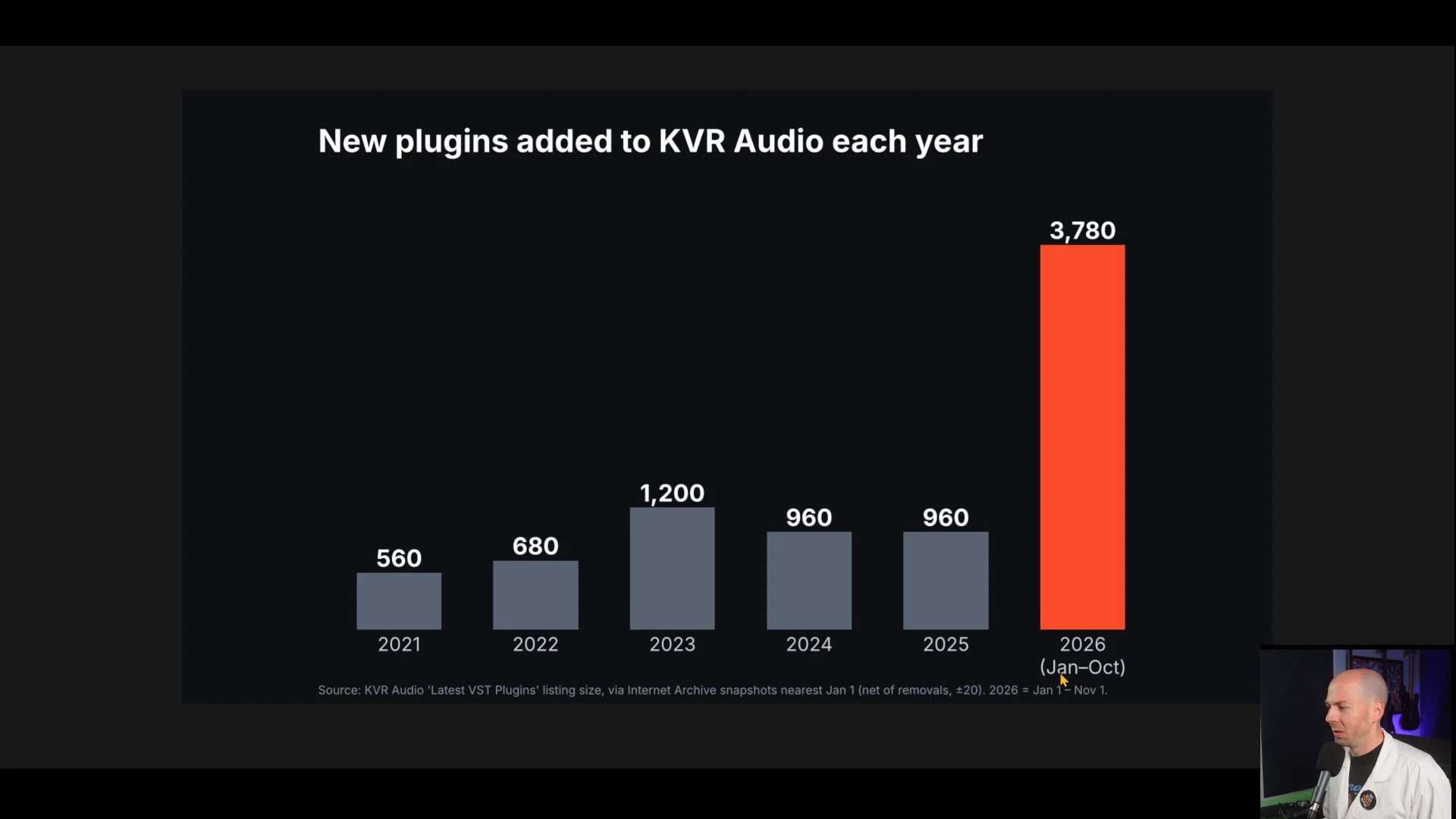
When we talk about vibe-coded plugins, we are referring to software created when someone prompts a large language model like ChatGPT, hits enter, and accepts whatever code spits out without reviewing or understanding it. This trend has led to a massive influx of software hitting the market. Looking at KVR release data from recent years, we see that annual releases have jumped dramatically, with current figures reaching nearly four times the output of previous years.
Platforms specifically designed to build audio plugins from simple text prompts have emerged across the web, inspiring a wave of tutorial videos showing creators how to spin up quick products to sell.
I Vibe-Coded a Plugin With ChatGPT in 58 Seconds
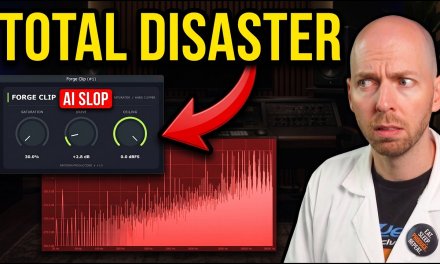
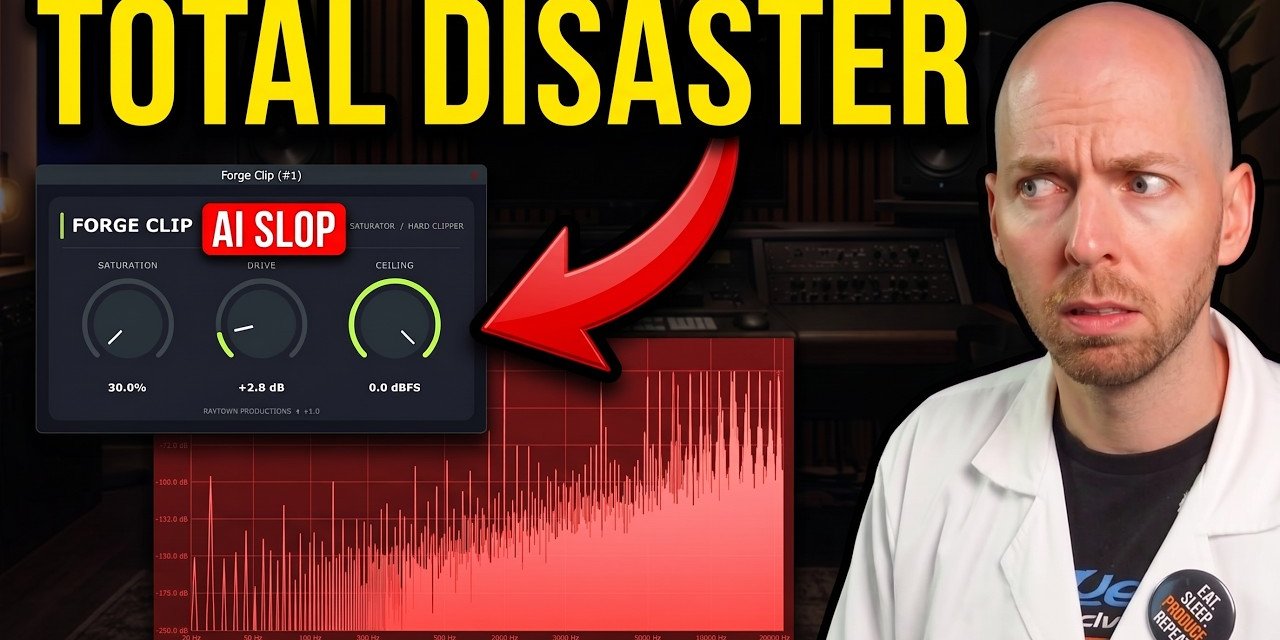
To see how easy this process really is, I went to ChatGPT and gave it a straightforward prompt: make me an audio plugin that is a saturator and hard clipper with saturation, drive, and ceiling knobs. Just 58 seconds later, it generated the project files for a plugin I called Forge Clip.
While it did not export a ready-to-use VST3 file immediately, asking it to prepare the build environment and running a PowerShell script quickly compiled the source code into a functioning VST3 binary. But compiling successfully does not mean the underlying digital signal processing is correct.
Testing the AI Clipper: Aliasing and Artifacts
To evaluate what the AI actually built, I loaded Forge Clip into Plugin Doctor, a diagnostic utility used to test audio software. Looking at the harmonics section, driving into the plugin did produce clipping distortion, but it also revealed horrific amounts of aliasing.
At a mere 0.1 dB of drive, the noise floor jumped up by 75 dB alongside severe fold-back distortion. Pushing it to 10 dB of clipping introduced catastrophic artifacts. Unchecked digital processing often introduces fold-back frequencies into the aural range that accumulate and ruin sensitive frequency areas.
To demonstrate what proper engineering looks like, we can examine a professional clipper equipped with robust anti-aliasing algorithms.
When switching to high quality mode, the unwanted energy immediately drops, leaving only out-order harmonics and subtle artifacts down near minus 100 dB. Engaging ultra mode pushes that noise floor down to match the limits of 24-bit audio. Without domain expertise, an AI tool will never know how to implement these complex anti-aliasing engines.
What Else Goes Wrong: Latency, Zipper Noise, and Denormals
Aliasing is just the tip of the iceberg. Once you attempt to fix issues by adding oversampling, you have to consider reconstruction filter types, phase linearity, and latency reporting. If a plugin introduces processing delay without reporting it back to your DAW, your audio timing shifts noticeably.
Other common technical failures in unvetted code include zipper noise when turning knobs quickly, random crackles, and denormals that trigger massive CPU spikes. Unstable filters can also cause sudden blow-offs, blasting white noise at maximum volume and threatening your speakers and ears.
Unchecked AI code generation often layers quick patches on top of patches, resulting in an unmanageable codebase where even the creator no longer understands how different functions relate.
How Audio Plugins Are Traditionally Made
Understanding how professional software is built highlights why shortcuts are dangerous. Traditional development relies on coding environments utilizing Software Development Kits (SDKs) such as JUCE or iPlug2. These industry-standard frameworks handle tedious boilerplate tasks so developers can focus entirely on their digital signal processing algorithms.
While traditional development gives you complete control over every line of code, it is exceptionally slow, tedious, and expensive. Building a professional plugin from scratch often takes years of rigorous testing across multiple operating systems and DAWs.
Modular Plugin Builders: Semi-Vibe Coding
Another recent trend involves modular plugin creation platforms that let users snap together pre-written digital building blocks like Legos. You might connect a high-cut filter directly into a gain stage and an EQ peak, assign them to knobs, and render out a standalone plugin to sell.
The underlying modules may have been written by experts, but the creators using these platforms often lack digital signal processing knowledge. This leads to poorly chained components, subtle bugs, and breaking updates where patching a bug alters how previous project sessions recall.
The Real-World Risks of Vibe-Coded Plugins
Relying on unvetted, vibe-coded plugins introduces serious practical hazards into your studio workflow:
- Session crashes caused by hidden memory or math bugs.
- Complete lack of long-term maintenance or OS compatibility updates.
- Session recall failures when minor platform patches alter audio output.
- Legal and licensing liabilities for unauthorized use of commercial SDKs like JUCE.
8 Red Flags to Spot AI Slop Plugins
To protect your music and your computer from unstable software, watch out for these eight key red flags when evaluating new plugin developers:
- No AAX format support, indicating the developer skipped Avid’s strict verification process.
- No proper installer, requiring manual drag-and-drop placement of VST3 files.
- Unsigned installation files that trigger heavy operating system security warnings.
- A brand-new company with zero history, sudden aggressive ads, and no established reputation.
- Missing user manuals or complete absence of licensing protection.
- Unresponsive customer support when testing their ticketing system prior to purchase.
- Marketing claims boasting that the product is a clone or a direct killer of industry giants.
- No free trial or warranty option available for paid products.
If a new plugin exhibits two or three of these red flags, your best bet is to steer clear. Always test unvetted plugins on disposable material rather than precious client work.
Responsible AI Use in Plugin Development
AI is not inherently evil when used correctly. For developers with genuine domain expertise, AI tools act as powerful accelerators for rapid prototyping, documentation, and multi-platform compatibility checks. Responsible development requires humans to build and maintain the core codebase, using AI solely to explore alternative approaches while rigorously measuring and listening to every change.
Protecting Your Studio This Black Friday
AI is not going to destroy the audio industry, but it is sorting developers into two categories. Companies that adopt AI responsibly will thrive, while unvetted one-off projects will sink to the bottom. Stick to trusted brands, take advantage of trials, and keep your sessions safe from the flood of untested code.
Links to Plugins and Freebies Shown in the Video
- My Free AI Slop Red Flag Cheat Sheet
- My FREE Mixing & Mastering Plugins Guide (No AI Slop)
- DDMF – Plugin Doctor
- RP – Hardstop (My FREE Clipper)
Some links above are affiliate links. Using them supports the channel at no extra cost to you.
Key takeaways
- Plugin releases are exploding: KVR listings are nearly four times last year’s count, and much of the growth is “vibe coded” plugins, made by prompting an AI without reviewing or understanding the code.
- “It compiles and makes sound” is not the same as “it’s right”: the ChatGPT-built Forge Clip showed heavy aliasing in Plugin Doctor. Proper anti-aliasing, like HardStop’s HQ and Ultra modes, pushes those artifacts down to around the noise floor of 24-bit audio.
- Hidden problems pile up fast: latency reporting, zipper noise, denormals spiking CPU, unstable filters blasting full-scale noise, and patch-on-patch code that becomes impossible to maintain or update.
- Watch for the red flags: no AAX version, no installer (drag-and-drop VST3 only), an unsigned installer, a company with no history, no manual, slow or no support, “clone” or “Waves killer” marketing, and no trial or warranty. Two or three of these is a reason to walk away.
- Protect your work: never put an untested plugin on client sessions or anything you can’t afford to lose. Test it on throwaway projects first, and prefer brands with a track record of long-term updates and session recall.
- AI isn’t the villain: in the hands of experienced developers it speeds up prototyping, debugging, documentation and automated testing. The developer still owns the code, tests every change and decides when a plugin has enough features.
Frequently asked questions
What is a vibe-coded audio plugin?
A vibe-coded plugin is software generated by prompting a large language model like ChatGPT to write code, which is then compiled into a plugin without the creator reviewing, testing, or understanding the underlying digital signal processing code.
Why is aliasing a major problem in AI-generated plugins?
Without proper anti-aliasing algorithms and oversampling, non-linear processing like saturation and clipping introduces severe fold-back distortion and noise floor spikes that muddy your mixes.
How can I spot an unsafe AI plugin?
Look for red flags such as missing AAX format support, unsigned installers, lack of a user manual, anonymous developers with sudden marketing pushes, and no free trial or demo version.
Grab All My Favorite FREE Plugins!
Want to see the whole walkthrough? Watch the full video on YouTube.