
Best Free Clipping Plugin: The Top 5 Free Clippers in 2026
A clipper is the fastest way to get a louder master without the pumping a limiter adds when you push it. The good news: you don’t have to pay for one. We tested the free options producers actually use and ranked the top five, judged on how clean the clipping is, how well it handles aliasing, how much control and metering you get, and whether it is truly free. Here is our pick for the best free clipping plugin, plus four strong alternatives.
Quick Picks
- HardStop (free): best overall, with a hybrid, performance-optimized anti-aliasing engine equal to ~40x oversampling at about 1/8 the CPU, a post-clip true-peak limiter, click-to-set Ceiling and auto gain
- Venn Audio Free Clip 2: best for trying different clip shapes, with no account needed
- PeakEater: best open-source clipper, with six clip types and up to 32x oversampling
- Kazrog KClip Zero: best for simplicity, with the same clipping algorithm as the paid KClip 3
- Initial Audio Initial Clipper 2: best metering, with a soft clipper and a full LUFS meter
How We Picked
Every plugin here is free to keep, not a trial. We looked for:
- True hard clipping, or a clear choice of clip shapes, so peaks are cut cleanly instead of smeared
- Oversampling or anti-aliasing, so hard clipping doesn’t fold harsh, inharmonic distortion back into your mix
- A ceiling or true-peak control, so the output is safe for streaming
- Useful metering, so you can see how much you are clipping
- Current Windows and macOS support in modern plugin formats
| Plugin | Price | Clipping | Anti-aliasing | Delta listen | Formats |
|---|---|---|---|---|---|
| HardStop (free) | Free, just an email | Hard clip + true-peak limiter | Hybrid, performance-optimized engine: Normal, HQ, Ultra (~40x oversampling at ~1/8 the CPU) | Yes (LISTEN) | VST3, AU, AAX |
| Venn Free Clip 2 | Free, no registration | Selectable clip shapes | Up to 32x | No | VST3, AU, AAX |
| PeakEater | Free, open source (GPL-3.0) | 6 clip types, hard to arctangent | Off, 2x to 32x | No | VST3, AU, CLAP and LV2 (experimental) |
| KClip Zero | Free | Hard to soft (Soften knob) | 2x real-time, 16x offline | No | VST, AU, AAX |
| Initial Clipper 2 | Free with an account | Soft clip + saturation | Not stated | No | VST3, AU, AAX |
1. HardStop (Free): Best Free Clipping Plugin Overall
We built HardStop because we wanted a clipper that behaves like a mastering tool, and the free version is the whole clipper, not a crippled demo: the same clipping engine, the same anti-aliasing and the same true-peak limiter. Here is what sets it apart.
Hybrid Anti-Aliasing Engine: ~40x Oversampling at About 1/8 the CPU
Hard clipping creates harmonics that fold back into your mix as harsh aliasing. Most clippers fight that with brute-force oversampling, which eats CPU fast. HardStop uses a hybrid, performance-optimized anti-aliasing engine instead. Its Ultra mode delivers the equivalent of ~40x oversampling at roughly one-eighth of the CPU, and stays flat to ±0.0003 dB. HQ is the everyday mode, flat to ±0.002 dB, and Normal runs at zero latency when the true-peak limiter is off. All three tiers are in the free version.
A True-Peak Limiter After the Clipper
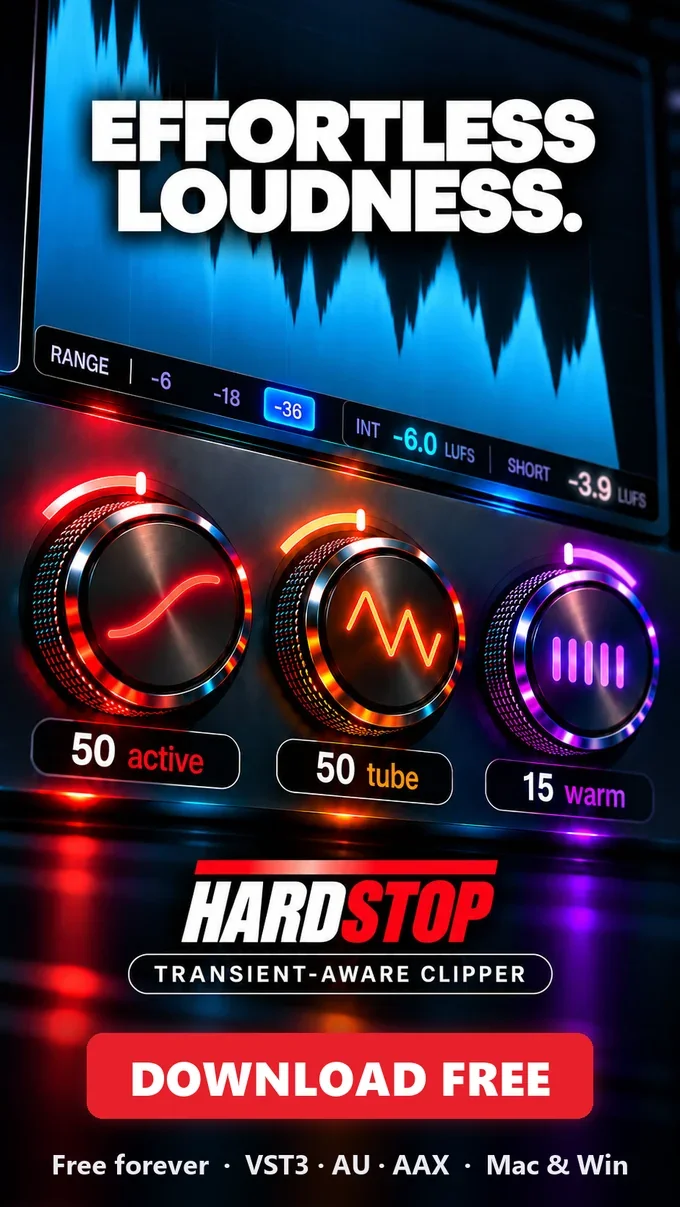
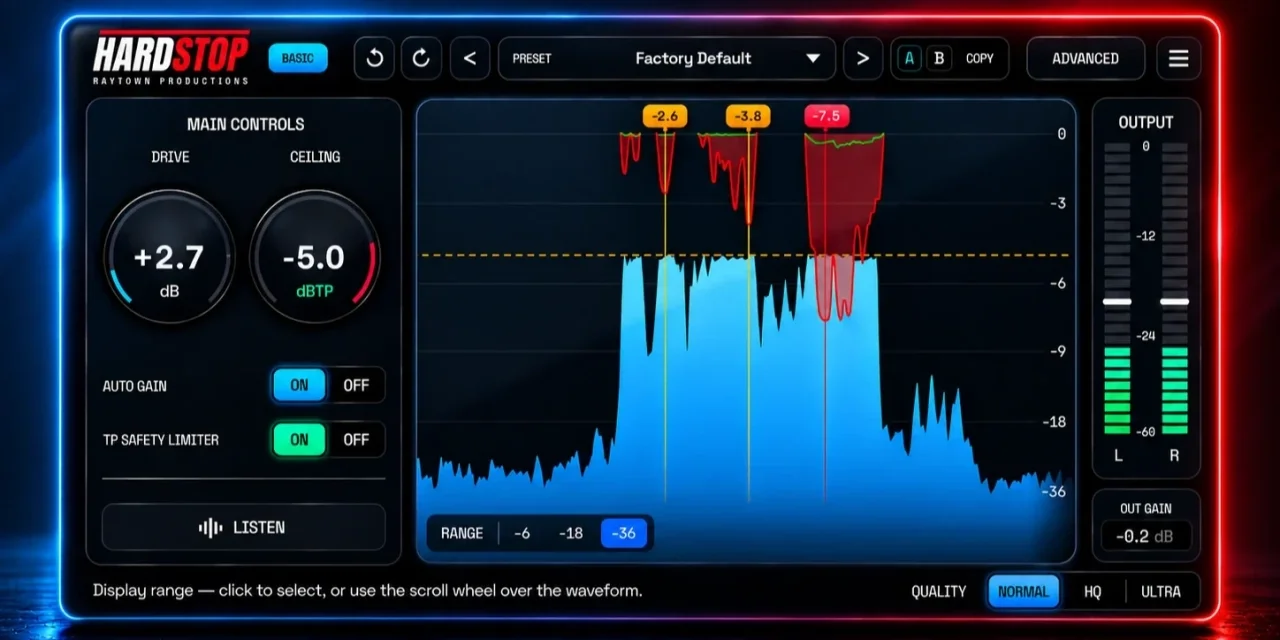
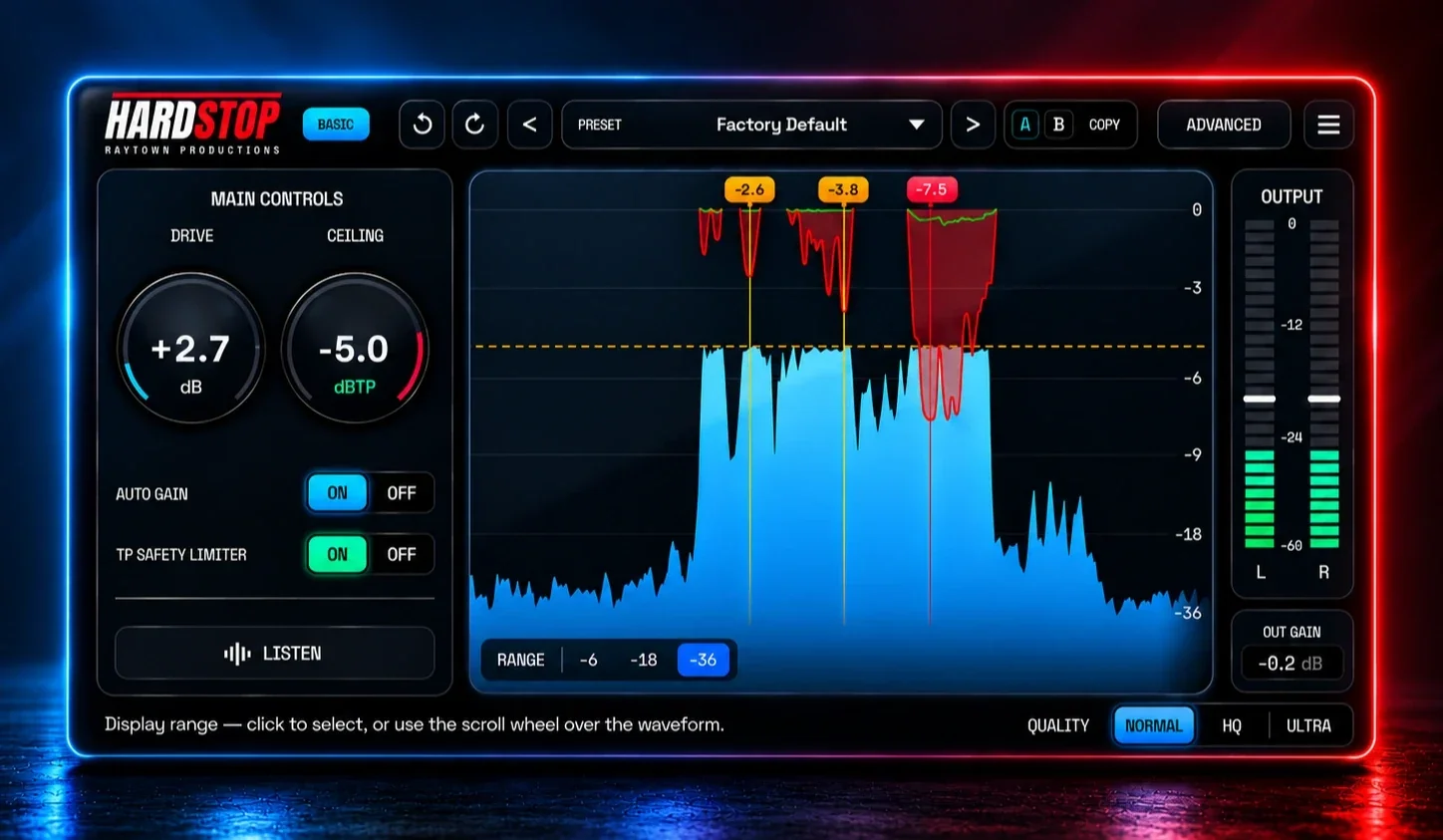
A clipper alone can’t catch intersample peaks, the overs that appear when your track is converted for playback. HardStop follows the clipper with a 4x oversampled true-peak limiter and a final peak guard, so what leaves the plugin stays under your ceiling. On the waveform, red shows what the clipper took and green shows what the limiter caught.
Click the Waveform to Set Your Ceiling
No guessing at numbers. Click or drag on the waveform to pull the dashed Ceiling line down onto your tallest peaks. Where it just touches them is 0 dB of clipping, your starting point. Then add Drive and watch the flags show how much each hit loses. Press LISTEN to hear only what the clipper takes away.
Auto Gain: Hear the Clipping, Not the Loudness
Louder always sounds better, which makes clippers easy to overdo. Auto gain compensates for Drive automatically, so when you bypass HardStop you judge the clipping itself, not a volume jump. Switch it off to hear the loudness you earned.
- Price: free forever, just an email
- Formats: VST3, AU and AAX for macOS and Windows
- Pros: a hybrid, performance-optimized anti-aliasing engine equal to ~40x oversampling at about 1/8 the CPU, a post-clip true-peak limiter, click-to-set Ceiling on the waveform, auto gain, LISTEN (delta) mode
- Cons: one hard-clip character with no soft-knee option, no factory presets beyond the default, no Linux or CLAP version
Download HardStop free and try it before your limiter on your next master.
2. Venn Audio Free Clip 2
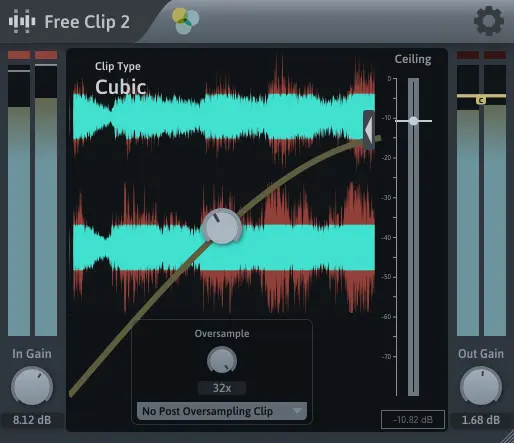
Free Clip 2 comes in Venn Audio’s Free Suite and needs no registration. Its interface gives you a clip-type selector, a Ceiling fader, input and output gain with meters, and an oversampling control that goes up to 32x. If you like comparing clip shapes on drums and bass, it is a great sandbox.
- Price: free, no registration
- Formats: VST3, AU and AAX for Windows, macOS and Linux
- Pros: several clip shapes, heavy oversampling, no account
- Cons: little official documentation; only available as part of the suite
3. PeakEater
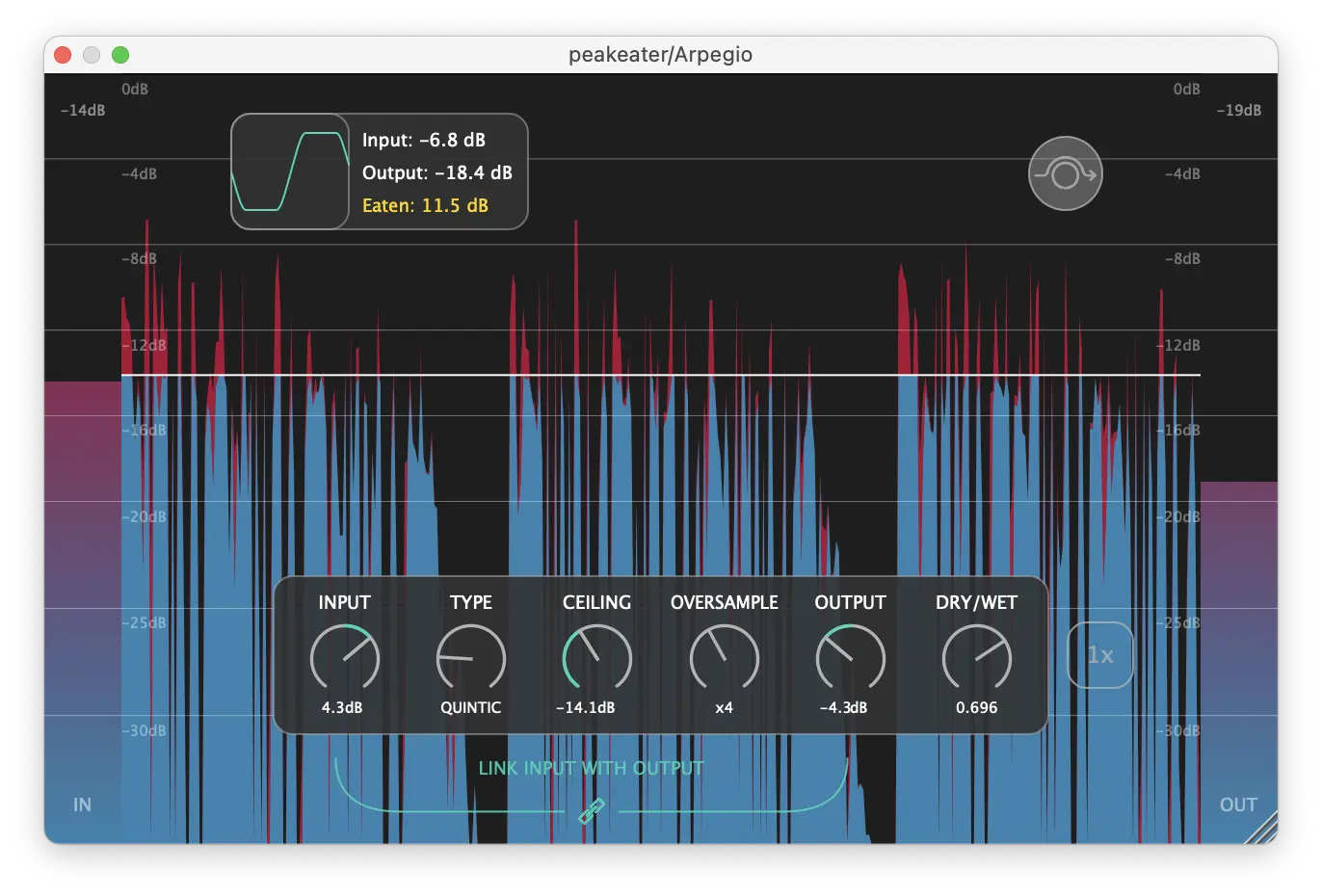
PeakEater is the most flexible free clipper we found, and it is open source under GPL-3.0. It offers six clip types (hard, quintic, cubic, tangent, algebraic and arctangent), oversampling from 2x to 32x, a ceiling, linked input and output gain, dry/wet and a peak-reduction visualizer. The catch: the last release, v0.8.2, came out in August 2023.
- Price: free, open source (GPL-3.0)
- Formats: VST3 and AU, plus experimental CLAP and LV2; Windows, macOS and experimental Linux
- Pros: six clip shapes, up to 32x oversampling, dry/wet, CLAP support
- Cons: no updates since 2023; Linux, CLAP and LV2 are experimental
4. Kazrog KClip Zero
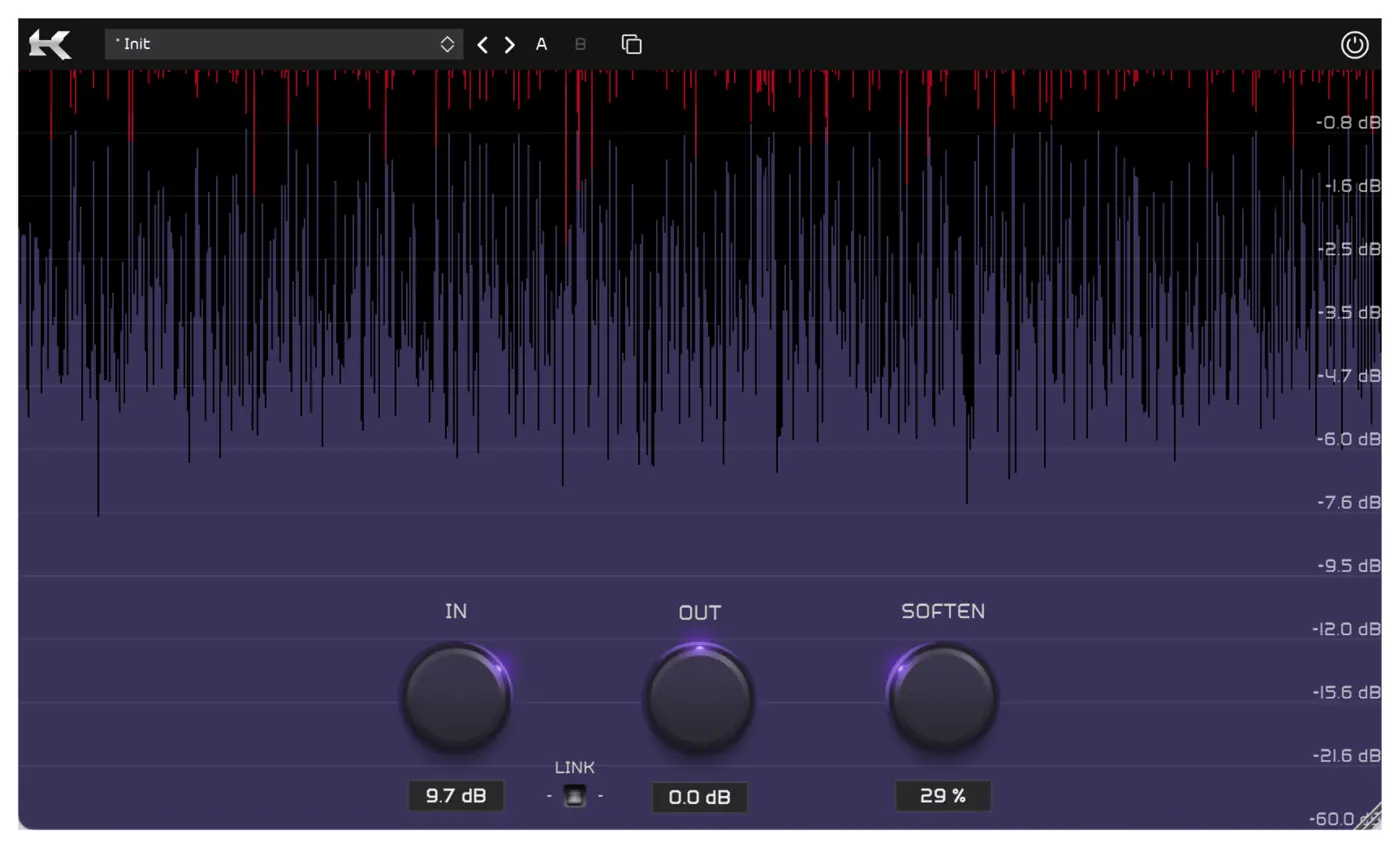
KClip Zero uses the same clipping algorithm as Kazrog’s paid KClip 3 in a stripped-down, resizable window. You get In, Out and Soften knobs (Soften at 0% is a hard clip) and a real-time visualizer. Oversampling is 2x while you play and 16x when you render offline.
- Price: free from Kazrog’s store
- Formats: VST, AU and AAX
- Pros: a respected algorithm, almost no learning curve, no iLok
- Cons: no ceiling control; only 2x oversampling in real time
5. Initial Audio Initial Clipper 2
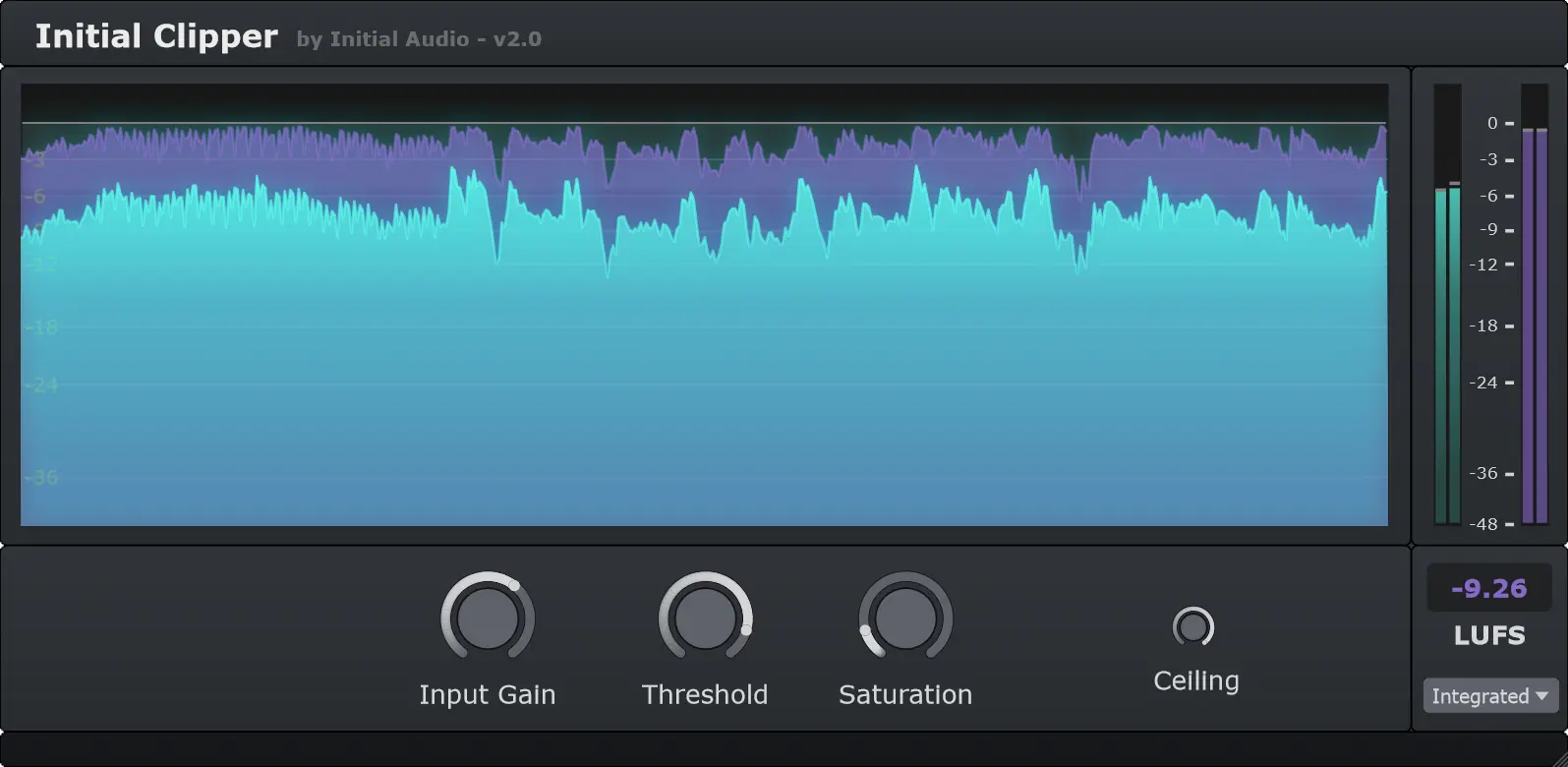
Initial Clipper 2 is a soft clipper with harmonic saturation, so it suits warmth on a bus more than transparent peak control. It has the best metering of the group: a pre and post waveform scope and a full LUFS meter with integrated, short-term, momentary and loudness range readings, plus true-peak limiting.
- Price: free with an Initial Audio account; commercial use allowed
- Formats: VST3, AU and AAX for Windows 10/11 and macOS 10.13+
- Pros: excellent metering, musical saturation, true-peak limiting
- Cons: soft clipping only; oversampling not stated
Honorable Mentions
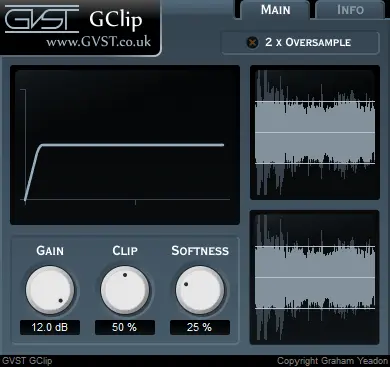
- GVST GClip: a tiny classic with Gain, Clip and Softness controls, a 2x oversampling switch and a curve display that teaches what clipping does. It is an older VST2-style design.
- Airwindows ClipOnly2: an open-source (MIT) clipper with no controls at all. Anything under about -0.2 dB passes untouched, and hotter peaks get a smooth hard clip. There is no GUI, so it is a set-and-forget safety net.
How to Use a Free Clipper Before Your Limiter
Put the clipper right before your final limiter. Push it until it shaves 1 to 3 dB off the loudest drum hits, then let the limiter do the last bit of gain reduction. Your limiter works less, so it pumps less, and the drums keep their punch. We walk through the whole method, with before-and-after figures, in Clipping Before Limiting: Why It Makes Your Limiter Sound Better.
Frequently Asked Questions
What is the best free clipping plugin?
For mastering and loud mixes, we recommend HardStop’s free version: clean hard clipping, a hybrid, performance-optimized anti-aliasing engine equal to ~40x oversampling at about 1/8 the CPU, a post-clip true-peak limiter, and click-to-set Ceiling with auto gain. If you want to experiment with clip shapes, Venn Free Clip 2 and PeakEater are excellent free alternatives.
Is hard clipping or soft clipping better?
Hard clipping keeps everything below the threshold untouched and cuts only the peaks, which makes it the transparent choice for drums and master-bus peak control. Soft clipping rounds the corners and adds more harmonics, which suits warmth and glue on instrument buses.
Why does oversampling matter in a clipper?
Hard clipping creates harmonics above the audible range. Without oversampling, those fold back down as harsh, inharmonic distortion called aliasing. Oversampling, or a dedicated anti-aliasing design, keeps the clipped sound clean. The more aliasing it removes, the cleaner hard clipping sounds on dense mixes.
Try the top pick free. HardStop gives you a hybrid anti-aliasing engine equal to ~40x oversampling at about 1/8 the CPU, a post-clip true-peak limiter, click-to-set Ceiling and auto gain for macOS and Windows, free forever with just an email. Get HardStop free →